Will My PC Run FSX?



Take the download (pop-up) of Active X and then it'll analyze your PC to see if can run FSX or not.
(Link to Game Advisor removed because it has been discontinued)
Microsoft's Official system requirements:
* Windows XP SP2 / Windows Vista
* Processor: 1.0 Ghz
* RAM: Windows XP SP2 - 256MB, Windows Vista – 512MB
* Hard Drive: 14GB
* Video Card: 32MB DirectX 9 compatible
* Other: DX9 hardware compatibility and audio board with speakers and/or headphones
* Online/Multiplayer Requirements: 56.6 kbps or better for online play
Realistic requirements for optimal gameplay
Yup, the "minimum system requirements" listed on the FSX package are pure rubbish though Microsoft and the FSX developers state otherwise. The truth is you will need at MINIMUM:
3GHz CPU with good cooling.
80 gig Hard Drive (15 gig for FSX and then when you start adding Addons, your HD space gets used up quickly).
2 gig of memory / RAM
256MB Graphic Card with good cooling that supports Shader, advanced 3D graphics and at minimum, Direct X 9.
Windows XP SP2 or Windows VISTA.
A quality Sound Card.
Plenty of chassis cooling.
These, again, are MINIMUM specs. With FSX, more is always better, so go as bold as you can afford.
Benchmark software:
https://flyawaysimulation.com/downloads/files/2784/3dmark06-benchmark-software/

Thanks to cheechm for this site.
 255 Answers
 Jump to latest
about time somebody put an end to all these qduestions "will my comp. run FSX???"

That was one of the best-needed links-stickys.
👍 👍 👍 👍 👍
Excellent find ❗
Although i doubt if the recommended minimum specs are corresponding to the reality... 

They said my antique was fine.
I know it'll run it at default or less but this will show all of those who have lesser machines if they can run it at all.
RadarMan wrote:
They said my antique was fine.
I know it'll run it at default or less but this will show all of those who have lesser machines if they can run it at all.
Maybe they have been payed from Microsoft in order to prevent us from dissapointment 
 ... 😂 😂 😂
Greekman72 wrote:
RadarMan wrote:
They said my antique was fine.
I know it'll run it at default or less but this will show all of those who have lesser machines if they can run it at all.
Maybe they have been payed from Microsoft in order to prevent us from dissapointment
Actually MS has that on their site somewhere, they let you test your computer for different games.
I guess this must be from them not made by this site.
I've used it at MS before.


Hopefully there won't be any questions. The people who created this have already answere!

OK, I have a copy of FutureMarks own testing program 'SysMark05', and I get over 13000 score there, just run this one, and the poor arrow didn't quite know what to do, it was to the right of the green band. 😂 😂
I think my set should do! 
Edit addition, found this on the FM site. just a tit-bit.........
http://www.futuremark.com/news/49540_flight_simulator_x_preview/


You have probably already resolved this issue, however if you have XP it just updates active x to 9.0C, which you should be using anyway!
It will run on any computer that is a 32 bit, however, you really need a high end machine! I run an Athalon 64 bit, 1 gig memory, and a 9600 Radeon. My machine is about a year old!
I tried The X demo and didn't find it very exciting. Due to private upgrades FS 2004 looks better, at least for me!
 Guest
Guest
I have been to the game advisor but I am still skeptical. I scored in the "WWOW" range but we know how that goes. "Yeah buy our game for 70 bucks it'll run great on your computer."
Should I trust them and buy? Or do I need more juice?
my system:
Processor Intel Pentium 4 2539MHz
Display Card NVIDIA GeForce FX 5700LE
Memory 1024MB
Operating System Microsoft Windows XP
Free Disk Space 141.57GB
Display Card Memory 256MB
Display Driver Version 8.4.2.1
DirectX Version 9.0c
Optical Drive DVD
Sound Card SoundMAX Digital Audio

My guess is that you would get decent performance, though another gig of RAM would probably make things even better.

It says my system is in the top 10% of systems it has ever tested. I find this somewhat unusal...
radeon X600 256mb (YYYYAAAWWWNN)
pentium 4 HT 3.4 Ghz
1Gig DDR Ram
DX 9.0c
surely an X600 pro shouldn't be in the top 10%??? Are any of you guys upgrading your cards for FSX? And do you think an X1800 GTO would cope with a fair amount of detail?
If you want to see how good your computer is then try https://flyawaysimulation.com/downloads/files/2784/3dmark06-benchmark-software/

chilled_dude999 wrote:
It says my system is in the top 10% of systems it has ever tested. I find this somewhat unusal...
radeon X600 256mb (YYYYAAAWWWNN)
pentium 4 HT 3.4 Ghz
1Gig DDR Ram
DX 9.0csurely an X600 pro shouldn't be in the top 10%??? Are any of you guys upgrading your cards for FSX? And do you think an X1800 GTO would cope with a fair amount of detail?
I wouldn't take too much notice. It gives you a general idea, but the minimum specs mean you can actually run the thing, not run it with anything other than flat, plain terrain 🙄
My system is poor but still its rated quite highly for FSX because it'll run fine, with no scenery, water textures, cloud textures, traffic etc etc.
😉
Guest
I run a p4 2.8 gig dual core, with 1 gig of ram and a 256 Radion card.
Unless i slide everything to basics the frame rates are intollerable!!
Then of course all the additional features are not there.
stick to 2004. unless you have some set-up that area 52 only know about!
What frame rates are you getting? What are they locked at?

Id like to hear from someone with similar specs. I have heard people with 3+ Mhz, better video cards, and 1gig of ram only get 10 fps. I want this simulator but I am not upgrading PC anytime soon so if it is unflyable Ill wait.
Oh and this was my post:
Posted: Fri Oct 13, 2006 7:16 pm Post subject:
--------------------------------------------------------------------------------
I have been to the game advisor but I am still skeptical. I scored in the "WWOW" range but we know how that goes. "Yeah buy our game for 70 bucks it'll run great on your computer."
Should I trust them and buy? Or do I need more juice?
my system:
Processor Intel Pentium 4 2539MHz
Display Card NVIDIA GeForce FX 5700LE
Memory 1024MB
Operating System Microsoft Windows XP
Free Disk Space 141.57GB
Display Card Memory 256MB
Display Driver Version 8.4.2.1
DirectX Version 9.0c
Optical Drive DVD
Sound Card SoundMAX Digital Audio

I got the deluxe version last week. I'm on:
athlon 64 3800 x2
gforce 6200 256
1 gig ram
xp media center
I've put the display sliders in the middle and I'm getting around 16/17 fps when I'm not in a high density area. It goes down to the low teens when I'm in Vancouver or Seattle with a stutter or two but quite flyable.
Overall the performance is about the same as fs9 with the downloaded scenery I'd added. Out of the box the scenery is much more accurate and the missions are a hoot so I'm happy with it.
henry5 wrote:
I got the deluxe version last week. I'm on:
athlon 64 3800 x2
gforce 6200 256
1 gig ram
xp media centerI've put the display sliders in the middle and I'm getting around 16/17 fps when I'm not in a high density area. It goes down to the low teens when I'm in Vancouver or Seattle with a stutter or two but quite flyable.
Overall the performance is about the same as fs9 with the downloaded scenery I'd added. Out of the box the scenery is much more accurate and the missions are a hoot so I'm happy with it.
Yeah but your kicking my but in the areas of Processors and video cards. maybe I should let this one go for a while.
Guest
How do I know if my computer can play FSX with its DVD format. That site just says Optical Drive: N/A when I check to see if my computer can run FSX.
Guest
Hey there FSX experts, here's the specs on my pc:
WinXP SP2
AMD Athlon 2200+
1.8 Ghz
512 MB RAM
NVidia GeForce FX5200 128MB graphics card
55GB HD space (+ external HD of 149 GB)
19" Samsung Sycmaster 997MB Monitor
DirectX9 compatible
DVD drive
..... and there I went and bought FSX because I looked at the system requirements and said 'well, my PC should be fine! 😀 '
But then I installed it. I launched it (which took at least 10 minutes....  ) and when I went for a free flight it didnt work smooth at all.... And then I felt a little angry at Microsoft, especially after I went to the PC game advisor website that ranked my PC as WOW ❗ ❗ ❗
So what do I do now, experts? Should I upgrade my MB RAM to at least a Gig, like the Staples guy told me? What's really wrong with my PC after I upgraded it already several times?!! If you have an answer to my concerns, please e-mail me at cristian_fs2002@hotmail.com. You can be sure it will be very much appreciated if you help me out here!
Your CPU is on the low side but not all that bad.
You should bump up your memory.
The biggest bottleneck it that old video card.
If you have an AGP slot get the best you can afford, that should show some difference.
Be careful with the settings and you should enjoy flying.
Right now the best flying that you can do is in Alaska in the winter.
Shut down all scenery and boost up mesh, don't have any autogen.
You can max out the aircraft detail but stay away from the AI.
Guest
Hi Guys
Just thought I would let you know bought this msx sim weekend and unless you have it running at lowest settings I would give this a big thumbs down and stick with 2004 version, I have now been able to return my msx to the retailer, and get my money back and I will stick with 2004 and I also feel sorry for those people who have spent there hard earnt cash on the sim and not getting the enjoyment they should have
SPEC,S
AMD ATHLON 64 2700+ (clawhammer)
2 GIG MEMMORY
160GB FREE SPACE
DVD REWRITER
WINDOWS XP SP2
And that dont even run half settings
Not the fastest processor and no mention of what graphics card.

How crappy is this ????Graphics Card: RADEON X300 SE
Thanks for your input ❗

Hi
On another point I'm going to New York at the weekend and looking at buying FSX in the US as it's cheaper I believe, will this work in the UK or will it have region protection?
Goose34343
Guest
Sorry for another post about this
I HAVE FSX installed on my comp and I have setting on low and because I have upgraded from FS 98 to FSX, even on low settings FSX still kicks ass. So for me there is no dissapointment.
I have the bug however to upgrade my PC. My dilemma however is whether to wait until the end of 07 and build a MEGA PC with all the latest stuff which will last at least 6 months. OR give my current system a minor facelift.
Current system is:-
Processor: AMD Athlon XP/MP/4 1798 MHz
Memory: 512 MB ( 2 sticks of 256 )
Card: NVIDIA GeForce Ti 4400 (128 MB)
I know for a fact I can upgrade the RAM to a max of 2048 MB. So I can get two 1 GB sticks at £82.24 each. Question is will this make any real difference to flight sim? Is the upgrade from 512 MB to 2 GB RAM worth £164.48 GBP ?
I know I need to upgrade the card but I figured I would wait until the DX 10 cards are available?
I don't think there is anything I can do about the processor in terms of an upgrade... is there ?
Any advice much appreciated.
Wait and build.
Guest
To all the video/graphics card experts what are your opinions on these:
nVIDIA® GeForce™ 6150LE
ATI Radeon® Xpress 200
Which do you think is better? Will they run FSX with decent graphics?

as some of you may know im not very good with technical stuff on PC`s so heres my question.....
How can i find my system specs?
thinking about going and getting FSX tonight......

For Operating System, CPU and RAM
Right click on 'My Computer' and left click on 'Properties'.
For Graphics card
Stay on the same screen as above then click on the 'Hardware' tab and then on the 'Device Manager' option. Click on the + next to 'Display Adapters'.
well i finds it....
now heres the question.....
will FSX run on this....
specs:
Windows XP
4CPU-2.80GHz
Ram-1.00
GFX Card-Radeon9600 Pro Sec
and thats what i could find knowing me..... if im missing something then tell me...
JarJarBinks wrote:
as some of you may know im not very good with technical stuff on PC`s so heres my question.....
How can i find my system specs?
thinking about going and getting FSX tonight......
Run this and give us the spec I listed in your PM.
hey Radar Man my mom wont run that on our PC....also do be surprised if u find myu question in about 3 places.......got a little carried away....
hawkin
Guest
Processor: Intel Pentium 4 3200MHz
Graphics Card: NVIDIA GeForce 6600
Memory: 2048MB
Free Disk Space: 55.37GB
Optical Drive: DVD
Operating System: Microsoft Windows XP
Should FSX run Smooth or wot should happen??
hawkin wrote:
Processor: Intel Pentium 4 3200MHz
Graphics Card: NVIDIA GeForce 6600
Memory: 2048MB
Free Disk Space: 55.37GB
Optical Drive: DVD
Operating System: Microsoft Windows XPShould FSX run Smooth or wot should happen??
You won't be able to max it out, no one can.
You will get a nice balance if you "play" with the settings being carefiul with the ones that us the most "power".

First, I can play FS2004 @ Max setting.. flawlessly.. Will it play on X though..?
My Spec:
Window XP SP2
1.6GhZ P4 CPU
1024MB of DDR RAM
AGP NVIDIA GeForce FX5200 / 256MB DDR
80GB IDE Hard drive
16X DVDR
I could suggest a better GFX...I have not FSX but from what i have read, it needs something more powerful in order to get a performance close or like FS9.
1GB of more RAM would be helpful too. 😉
Ades
Guest
Here is a review on flight sim x, he also it gives some indication as to what sort of system you will need at the end, hope this is of some help
http://uk.gamespot.com/pc/sim/microsoftflightsimulatorx/review.html
Fring2
Guest
If you downloaded the Demo and were satisfied with the results, don't expect the same frame rate from the real thing. I was very disappointed. I use a Nvidie GE with 256 meg of ram, on a 2.66 pentiumD with 2gig. Ran the demo great and the program lousey on the same graphic settings
Guest
Ok then would requirements would you need to run the game to its best quality ... everything cranked up full tilt???
wat would u recomend?
James.
Voygemaster
Guest
The scan results for my system states I don't even meet Minimum,
yet I am using identical setup of others posting here,
Dell 2.88Ghz Intel Pentium 4
nVidia 5500
1gb ddr
65gbhd
DVD
XP Pro
What gives?
Anonymous wrote:
Ok then would requirements would you need to run the game to its best quality ... everything cranked up full tilt???
wat would u recomend?
James.
The best you can afford.
A high quality CPU (Core 2).
At least 2 gigs ram.
At least one high quality video card, PCIe (e=express).
Later after you get Vista, more ram and a DirectX video card ( not on the market yet).
Voygemaster wrote:
The scan results for my system states I don't even meet Minimum,
yet I am using identical setup of others posting here,Dell 2.88Ghz Intel Pentium 4
nVidia 5500
1gb ddr
65gbhd
DVD
XP ProWhat gives?
You more than meet the standards, another gig of ram would help and a better card.
kippler
Guest
I agree with the last guest post that FSX is intollerable for frame rates with anything but the basic scenery. The game does not use the SLI facility on my PC so I asume Crossfire won`t be of any help either.
My oppinion is it is a very poor game, made for the PC`s of 5 years from now. Stick with 2004.
My system spec (good, but not good enough):
AMD 4600-64 dual core
2 x Geforce 7800GT`s running in SLI
2 gig DDR ram in dual channel
250 gig SATA 2 HD
2 x 300 gig IDE drives.

I agree with Kippler. 2004 has been around long enough that with add-ons and tweaks you can't top it. I would think with
Windows XP SP2
Intel T2600 @ 2.16GHz (2 CPUs)
2046MB RAM
GeForce Go 7900 GTX with 512.0 MB
that FSX would run excellent. Even with settings on low, it was a major disappointment. I'm sticking with FS 2004 for now. Maybe in a year there will be better tweaks for FSX.
Guest
What kind of an IDIOTIC game is FSX???? Here I am reading through this forum and see some guys with fantastic specs on their PCs and still no one can run it fully??? Thats completely insane! Do you really need to spend 2500 bucks on some kind of Supercomputer to run that stupid piece of crap that carries the name FSX????? And then when I think about the minimum system requirements on the box...... those are just big lies because NO ONE will be abel to even sit through the 2 hours it will take to launch FSX on a PC that has the 'crappy' mininum sysreqs......
mattmag
Guest
i have:
core 2 duo e6600
1gb ddr2-533
radeon x1900xtx
sata150 hdd
i put all settings on max and of course it ran terribly. i havent had time to try it since. if i get 2gb of ddr2-800, will it perhaps run on some very nice settings? i was able to play the demo on full settings and it ran excellently. if kippler can't run it with double my ram and an sli setup (my processor is the only part of my system that outperforms his), i doubt this will work very well until a patch perhaps clears this mess up.
Anonymous wrote:
What kind of an IDIOTIC game is FSX???? Here I am reading through this forum and see some guys with fantastic specs on their PCs and still no one can run it fully??? Thats completely insane! Do you really need to spend 2500 bucks on some kind of Supercomputer to run that stupid piece of crap that carries the name FSX?????
FSX is not a stupid or bad.
It has a lot of points updated compare to FS9.
I agree with you that the minimum requirements from MS are out of reality...But this is not a point to make us describe FSX as a ''piece of....''...Yes it needs a good system in order to run but its not the only one.I'm sure you know a lot of games which needs upgraded systems for best performance.
Thats the route...Better graphics -Better Machines(in simple words) 😉
gazpode_l
Guest
I mentioned this in a separate tab. I tried the demo last wk and tried to install a service pack 2 version which didn't come from microsoft. I rendered our mc useless untill we were able to run the reset disk and restore the machine back to day of purchase settings.
you mention NOTHING of service pack two here and it appears neither does your testing programme.
is it only the demo that requires SP2 or does the full version require it.
Has anybody got SP2 on thier machine? if so where did you get it from and how did you get your computer to run fine after installing it?
gazpode_l wrote:
I mentioned this in a separate tab. I tried the demo last wk and tried to install a service pack 2 version which didn't come from microsoft. I rendered our mc useless untill we were able to run the reset disk and restore the machine back to day of purchase settings.
you mention NOTHING of service pack two here and it appears neither does your testing programme.
is it only the demo that requires SP2 or does the full version require it.
Has anybody got SP2 on thier machine? if so where did you get it from and how did you get your computer to run fine after installing it?
you can download SP2 from microsoft update for free..
PT6A
Guest
Am I correct that no one seems to be able to run FSX on the best settings?
By all the posts I'm scared to buy it.
I have
2DUO Processor E6300 1. 86GH
1GB DDR@ SDRAM at 533mH
NVIDIA GeForce 7300 LE
How will my system do?
Guest
PT6A wrote:
Am I correct that no one seems to be able to run FSX on the best settings?
By all the posts I'm scared to buy it.I have
2DUO Processor E6300 1. 86GH
1GB DDR@ SDRAM at 533mH
NVIDIA GeForce 7300 LEHow will my system do?
I have a:
Intel Pentium D 820 2.8GHz (Dual Core)
1 GB DDR2 SDRAM @ 533MH
Nvidia GeForce 6800 256MB (PCI Express x16)
160GB
Windows Media Center
I tried out the Trial Version and had it running with all the settings maxed. Didn't experience any problems or slow downs (flawlessly smooth), although I am sure there will be some with the full version.
I have to wait until Christmas for my wife to buy it for me though.... 🙄

I'm running an AMD X2 4400 OC-ed to 2650MHz, 2 gigs of Mushkin Redline running @ 530MHz, an Nvidia 7800 GT TOP PCie GPU w 256mb ram OC-ed to 480MHz and 1.3GHz and a Western Digital 250gb SATA 3.0 HDD with 220GB free and this thing still runs like crap. This is definitely going back to the store.
Last edited by YellowC4S on Sun Nov 19, 2006 7:20 am, edited 1 time in total
I want to try this on a new Apple MacPro and see if it runs any better.
Guest
Hi! I dunno if this is the right forum for this query but you see, I'm planning to replace my old Pentium III 500 Win98SE system with a new mid-range rig on a budget. Will be going the do-it-yourself route. Wanna build something that would run FSX decently (hopefully). Hope you could share your inputs. Here are the following specs I had in mind:
AMD Athlon 64 X2 4200
Asus A8N-SLI motherboard
Kingston 1GB DDR PC400 RAM (will gradually upgrade it to 2 or 4GB max)
Seagate 120GB HDD 7200rpm SATA
NVIDIA GeForce 7300GT graphics with 256MB/128-bit x2 (SLI Mode)
Creative Soundblaster X-Fi Platinum sound card
MAG 19-Inch LCD display
500Watts Power Supply
Thermaltake TR2-K6 CPU Cooler
Any suggestions?
Anonymous wrote:
Hi! I dunno if this is the right forum for this query but you see, I'm planning to replace my old Pentium III 500 Win98SE system with a new mid-range rig on a budget. Will be going the do-it-yourself route. Wanna build something that would run FSX decently (hopefully). Hope you could share your inputs. Here are the following specs I had in mind:
AMD Athlon 64 X2 4200
Asus A8N-SLI motherboard
Kingston 1GB DDR PC400 RAM (will gradually upgrade it to 2 or 4GB max)
Seagate 120GB HDD 7200rpm SATA
NVIDIA GeForce 7300GT graphics with 256MB/128-bit x2 (SLI Mode)
Creative Soundblaster X-Fi Platinum sound card
MAG 19-Inch LCD display
500Watts Power Supply
Thermaltake TR2-K6 CPU CoolerAny suggestions?
Bigger p/s you'll be happy you did.
Make it a top name brand or it's not worth doing.
One word...NOPE

Well that was a worthless exercise -- it can analyze my system. I think FS2004 is better than FSX Deluxe. I spent $300 to double my Dell memory to 2 gig, and upgrade to a Geoforce 6800 256 and FSX still runs like a dog. The only thing I like about FSX is the Garmin panel, but then you can't use 2D with the panel and set/see engine controls. FS2004 $27 good, FSX $69 bad.
Stevereid
Guest
I have a new pc coming in the next couple of days, the specs are as follows
ASUS P5B Deluxe WiFi Edition Intel P965 (Broadwater) LGA775 ATX Intel Motherboard
Intel Core 2 DUO E6700 2.67GHz Conroe 1066MHz FSB 4MB L2 Cache LGA 775 Dual Core Processor
GeIL 2GB Kit (2x1GB) DDR2-800 (PC2-6400)
XFX PV-T71U-ZDF9 Extreme Geforce 7950GX2 1GB GDDR3 PCI-EXPRESS 16x Dual Core Video Card
Creative SoundBlaster X-Fi Xtreme Music
Seagate Barracuda 320GB 7200.10 SATA2-300 NCQ 16MB 7200RPM Hard Disk OEM
What do you think, will it play with a decent frame rate?
Stevereid wrote:
I have a new pc coming in the next couple of days, the specs are as follows
ASUS P5B Deluxe WiFi Edition Intel P965 (Broadwater) LGA775 ATX Intel Motherboard
Intel Core 2 DUO E6700 2.67GHz Conroe 1066MHz FSB 4MB L2 Cache LGA 775 Dual Core Processor
GeIL 2GB Kit (2x1GB) DDR2-800 (PC2-6400)
XFX PV-T71U-ZDF9 Extreme Geforce 7950GX2 1GB GDDR3 PCI-EXPRESS 16x Dual Core Video Card
Creative SoundBlaster X-Fi Xtreme Music
Seagate Barracuda 320GB 7200.10 SATA2-300 NCQ 16MB 7200RPM Hard Disk OEM
What do you think, will it play with a decent frame rate?
Hot hot hot!
Where did you buy it.
When you get it all set, download the latest video drivers, clean out the old ones and install the new ones.
Shut off your AV while you do that and then turn it back on.
Last edited by RadarMan on Wed Nov 15, 2006 3:20 am, edited 1 time in total
"decent" is subjective. Will you be able to 'max out" settings? I doubt it.
stevereid
Guest
YellowC4S wrote:
"decent" is subjective. Will you be able to 'max out" settings? I doubt it.
So you dont think it will run with the max settings
I cannot run it "maxed out" with my OC-ed system, whereas I can run everything maxed out with FS2004. My system specs are posted in an earlier post. I can run any game maxed out except for FSX so like others, I don't know where they got their "minimum system requirements" from. What I really wanna do is try this on a MAC.
lemonwonder
Guest
Ok, it says my system sucks, but my new video card isn't here yet, and that was the only thing wrong with it, everything else has a tick. But that was for another game.... wrong link i think. But for flight sim x heres my details:
My System
Processor: AMD Athlon(tm) XP/MP/4 1675MHz
Graphics Card: VIA/S3G KM400
Memory: 512MB
Free Disk Space: 5.48GB (after installing game)
Optical Drive: N/A
Operating System: Microsoft Windows XP
More Info >
Minimum System
Processor: Intel Pentium 4 1GHz
Graphics Card: DX9 compatible 32MB
Memory: 256MB
Disk Space: 14.0GB
Operating System: Microsoft Windows XP
But I cant run it wit my video card, because it says video card doesn't work with it, getting a new (because current is 5 years old) 180 dollar card in 3 days.
lemonwonder
Guest
BTW: My system is on the top bar of that graph

when i do that, it doesn't talk about fsx.

Goose34343 wrote:
Sorry for another post about this
I HAVE FSX installed on my comp and I have setting on low and because I have upgraded from FS 98 to FSX, even on low settings FSX still kicks ass. So for me there is no dissapointment.
I have the bug however to upgrade my PC. My dilemma however is whether to wait until the end of 07 and build a MEGA PC with all the latest stuff which will last at least 6 months. OR give my current system a minor facelift.
Current system is:-
Processor: AMD Athlon XP/MP/4 1798 MHz
Memory: 512 MB ( 2 sticks of 256 )
Card: NVIDIA GeForce Ti 4400 (128 MB)I know for a fact I can upgrade the RAM to a max of 2048 MB. So I can get two 1 GB sticks at £82.24 each. Question is will this make any real difference to flight sim? Is the upgrade from 512 MB to 2 GB RAM worth £164.48 GBP ?
I know I need to upgrade the card but I figured I would wait until the DX 10 cards are available?
I don't think there is anything I can do about the processor in terms of an upgrade... is there ?
Any advice much appreciated.
I have installed FSX on 3 systems now to do my own testing.
The first was an Athlon 850 w 256 Megs ram and a Nvidea 5300 with 32 Megs. The basic flight performance with minimum settings was so poor that it was not even a consideration. Frame rates about 7 to11 fps.
The second system was a Celeron 2.7 with 512 DDR RAM and an Nvidea TNT2 model 64 card. The same basic settings as #1 above gave me frame rates of 13 to 19 fps. Free flight was tolerable but graphics were terrible. This computer originall ran FS9 very well at higher settings and achieved frame rates in the 24 to 28 area.
The 3rd system is an Athlon 64 - 3700 with 512MB high speed ram, Nvidea GE force 6200, SATA hard drive. Minimum settings on FS10 gave me frame rates of 32 to 46fps which translated to very smooth flight performance. Movings all settings to the midrange dropped rates to 26 - 30 range. Again still flyable with much better looking scenery. Moving all sliders to the max positions made flights pathetically slow and jumpy. Rates came down to 14 to 19 fps. Just too slow to enjoy the experience.
All testing was done with FSx in unactivated mode which I am told means the automatic time limit for any flying. All systems were running XP pro.
My personal opinion is FSX is a HOG. You need at least the specs on my 3rd system to get any enjoyment from the program. I plan to upgrade memory on that system to 2 MEGS which should make a significant difference. I would stick with FS9 if your system is more basic in performance.

I have 1GB ram and an ATI radeon 256mb vid card and 1.8 GHZ AMD ATHLON XP 2200+ processor....and surprisingly, FS X runs prety well!!
coffebrk wrote:
Goose34343 wrote:
Sorry for another post about this
I HAVE FSX installed on my comp and I have setting on low and because I have upgraded from FS 98 to FSX, even on low settings FSX still kicks ass. So for me there is no dissapointment.
I have the bug however to upgrade my PC. My dilemma however is whether to wait until the end of 07 and build a MEGA PC with all the latest stuff which will last at least 6 months. OR give my current system a minor facelift.
Current system is:-
Processor: AMD Athlon XP/MP/4 1798 MHz
Memory: 512 MB ( 2 sticks of 256 )
Card: NVIDIA GeForce Ti 4400 (128 MB)I know for a fact I can upgrade the RAM to a max of 2048 MB. So I can get two 1 GB sticks at £82.24 each. Question is will this make any real difference to flight sim? Is the upgrade from 512 MB to 2 GB RAM worth £164.48 GBP ?
I know I need to upgrade the card but I figured I would wait until the DX 10 cards are available?
I don't think there is anything I can do about the processor in terms of an upgrade... is there ?
Any advice much appreciated.
I have installed FSX on 3 systems now to do my own testing.
The first was an Athlon 850 w 256 Megs ram and a Nvidea 5300 with 32 Megs. The basic flight performance with minimum settings was so poor that it was not even a consideration. Frame rates about 7 to11 fps.The second system was a Celeron 2.7 with 512 DDR RAM and an Nvidea TNT2 model 64 card. The same basic settings as #1 above gave me frame rates of 13 to 19 fps. Free flight was tolerable but graphics were terrible. This computer originall ran FS9 very well at higher settings and achieved frame rates in the 24 to 28 area.
The 3rd system is an Athlon 64 - 3700 with 512MB high speed ram, Nvidea GE force 6200, SATA hard drive. Minimum settings on FS10 gave me frame rates of 32 to 46fps which translated to very smooth flight performance. Movings all settings to the midrange dropped rates to 26 - 30 range. Again still flyable with much better looking scenery. Moving all sliders to the max positions made flights pathetically slow and jumpy. Rates came down to 14 to 19 fps. Just too slow to enjoy the experience.
All testing was done with FSx in unactivated mode which I am told means the automatic time limit for any flying. All systems were running XP pro.My personal opinion is FSX is a HOG. You need at least the specs on my 3rd system to get any enjoyment from the program. I plan to upgrade memory on that system to 2 MEGS which should make a significant difference. I would stick with FS9 if your system is more basic in performance.
Thank you for a very sensible explanation why FSX won't run on an inferior machine. One that is meant for older games, Word processing and web-surfing.
I wish all the Commodore 64 users out there would realize that.
The answer to someone who had a mid range machine-tweak-tweak-tweak...it'll work.
another guest
Guest
I have a decent comp for running FS9 the Gameadvisor puts my comp in the top 3% tested,
My System Specifications
Processor Intel Pentium 4 3392MHz
Display Card ATI RADEON X800 GT
Memory 2048MB
Operating System Microsoft Windows XP
Free Disk Space 167.14GB
Display Card Memory 256MB
Display Driver Version 6.14.10.6553
DirectX Version 9.0c
Optical Drive DVD
Sound Card Aureon 5.1 Fun Wave
Nort great but ok I should think. Unfortunately the FSX dvd wont install, it locks the computer as soon as its inserted.
icenova
Guest
Here is my computer not all that great but decent.
Microsoft windows xp home edition version 2002 service pack 2
3400+amd athlon 64 processer
512mb ram
160gb hard drive
dvd lightscribe double layer x16 drive
NVIDIA GeForce 6150LE
2.20ghz
can anyone tell me if ATI RADEON XPRESS 200 better than nvidia geforce 6150le cuz im thinkin of upgrading my computer

Ya know I find this really weird. Half of the peeps on here have the nearly the same or a better rig than I do and I can run FSX on nearly everything at medium setting:
Windows XP SP2
Intel Pentium D 3.00GHz (2 Cpu's for teh noobs 😛 )
Radeon X1300 256Mb
1024Mb RAM
294Gb Disk Drive
Free Space: 177Gb
Used Space: 97.1Gb
~Sno0ze

OK, I'm a newby here but long in the tooth when it comes to MS Flight Simulator.
Few realise this game outdates Windows itself and has a very long well-established history. I've watched the various versions come and go every single release gets the same result.
Understand these 2 points.
1. The MS FS series has always been designed to run on computers at least 3 years in the future, ie they are NOT designed to run maxxed out on ANY computer you can buy today. From what I've seen FSX is no exception to this decades old rule.
2. Anyone serious about their flight sim would, you'd presume, insist, absolutely insist, upon silky-smooth movement. The moment you get screen jerk or flicker you lose the feeling of being there at altitude, the control, the "feel" of different models and weather etc etc.
Yet on many occasions I have watched people playing various flight and driving sims with noticable jerk and yet their oblivious, just going on about the "great graphics" which to me are painful to watch.
The human eye doesn't really notice anything above 30 frames per second but once you drop below that point you can see the jerk and the game is a pile of crap. Understand though that some prop-heads will joyfully play at 13fps and tell you it "looks fantastic". So such things are relative.
Realistically, without knowing what the latest cards are or all the current alphabet soup of initials, without even glancing at any fantasy specs on the box, the situation will be, and it seems it is, that if you have the very latest machine, pimped-up with gamer-specific upgrades, you'll just about run it on minimum settings but it'll jerk if too much happens at once.
That my friends is the sad truth of the FS series. Hence I wouldn't want a copy of FSX if you gave it to me. And why now, that I have a new machine and FSX has come out, I'm looking for a copy of the previous version..
B
Well I just read that link and I think this sums it up:
"On a system with an Athlon XP 3400+, 2GB RAM, and an Nvidia 7800 video card... frame rates averaged about 8 to 14 frames per second"
That's totally unplayable to me. Not worth the effort of loading it. Yet he goes on to say:
"Is the poor frame rate a killer issue? That's arguable and depends on how much you require in terms of smooth frame rates in a civilian flight sim"
Excuse me? Since when did the fact my airliner doesn't drop bombs or fire missiles mean I'll accept a frame rate below 30fps? A modern top-end machine TODAY will struggle with the 2004 version at max. Forget the 2006 version until at least 2008, preferably 2010.
Unless they produce an Xbox version 😉
B
simon1
Guest
I have only had the game a few days and I have loaded the London scenery.
amd 2800+
Msi geoforce 5900xt
1gb 3200mem
300g hard drive
sound blasterr live 5.1
I find that it looks good and runs smoothly on the settings I use. I have some up full others low. I don't want 300 planes flying arround or 200 trucks on the runway.
I have the scenery detail at high and water effects 2x and moving traffic.
Great!!!
I will shortly be buying a new computer but for the time being I am quite happy. I don't look at frames per second at all.
Hardware never keeps up with software. But the options are there to run it to the ability of the computer,
I was very suprised how well it runs on my old computer!

I bought FSX Deluxe and now run almost everything at full. If you're looking to get a new system, try something like this.
Motherboard: ECS GF6100
Processor: AMD Athlon 64 X2 3800+ Dual Core
RAM: 1024MB DDR2 800
Graphics Card: GeForce 7300 GTX 256MB
Hard Drive: 250GB SATA2 (also have a ROCK 300 GB external HD)
Monitor: 19" Envision HD Widescreen Digital
Case: JPAC 412 Black Steel
CD/DVD: Pioneer DVR-110 DBK 16X DVD/CD Burner
OS: Windows XP Pro
Keyboard: Logitech G15 Gaming Keyboard
Mouse: Logitech MX-518 Gaming Mouse
Flight Controls: Saitek X52 Flight Control System
Pedals: Pro Flight Rudder Pedals
Appx. Total Cost: $1300.00
This is a custom built system by a good friend, I can't guarantee that you could get the same price.
Happy Flying
Last edited by lds_soldier on Sat Dec 30, 2006 2:51 am, edited 1 time in total
Nice machine, enjoy!

I know everyone is posting their PC specs to see what the experts say about them, I though I'd do the same.
My PC: AMD athlon 64 processor 3400+
Hightech excalibur radeon 9550SE series
2.4 GHz, 2.00 GB of ram
Win XP SV2
240 Gigz free space
Will this do for running FSX on high (traffic, tectures etc......)?
thx
dariusdagreat wrote:
I know everyone is posting their PC specs to see what the experts say about them, I though I'd do the same.
My PC: AMD athlon 64 processor 3400+
Hightech excalibur radeon 9550SE series
2.4 GHz, 2.00 GB of ram
Win XP SV2
240 Gigz free spaceWill this do for running FSX on high (traffic, tectures etc......)?
thx
It won't run on high, default maybe your card is old so don't use too much autogen, that takes too much of the resources from the other settings.
Metalgrand
Guest
I'm not to good at computers and I was wondering if this is good??
Metalgrand wrote:
I'm not to good at computers and I was wondering if this is good??
Your CPU will make it, the memory is low and you could use a much better video card.
It'll run with what you have but you won't be to pleased with the results.
If you spend $500 on your system upgrades you spending to much on an old machine, think new or at the most $200 for more RAM and a better video card.
That system scan doesn't seem very accurate to me. It almost always rates people's computers at the highest mark, way above the minimums, and yet they still aren't good enough.
I haven't used the scan myself. I'm sure it will rate my comp high but I don't believe it will mean anything.
Could someone clear this up?
1) What exactly does the system scan measure?
2) Does the system scan take into consideration patches and upgrades?
3) Are minimum and recommended settings declared on the box for purposes of installation or gameplay? (or both)

Well I just got FSX Deluxe Version and installed on this system
Intel P4 3.0 Ghz
1 GB Ram
ATI Radeon X1300 (AGP)
Windows XP SP2
The best I can get is about 8-10 Frames/sec
Anyone with a simalar system?
DAl_3177
Guest
Hi guys, ive been lookin around forums for a educated computer bunch and i think i have found the right one 😀 . anyways i just ordered this system and i was wondering how well i could run fsx. im not expecting it to run at full. thanks for your guy's help and
AMD Athlon 64 3200+ 2.0GHz Clawhammer Socket 754
ATI Sapphire x800 XT
ASUS K8V Deluxe Motherboard
1GB PC3200 RAM
( 2 ) 80GB Seagate Harddrives in RAID 0 ( 160GB )
Creative Audigy 2 Platinum eX with External Module and Remote
500 Watt Powersupply
DAl_3177 wrote:
Hi guys, ive been lookin around forums for a educated computer bunch and i think i have found the right one 😀 . anyways i just ordered this system and i was wondering how well i could run fsx. im not expecting it to run at full. thanks for your guy's help and
AMD Athlon 64 3200+ 2.0GHz Clawhammer Socket 754
ATI Sapphire x800 XT
ASUS K8V Deluxe Motherboard
1GB PC3200 RAM
( 2 ) 80GB Seagate Harddrives in RAID 0 ( 160GB )
Creative Audigy 2 Platinum eX with External Module and Remote
500 Watt Powersupply
You should be able to run it at default or better.
Nice card and enough ram.
Take it easy on the autogen, clouds, traffic and any other slides that use up resources quickly.
Just keep tweaking until you find what's best for you.
DAL_3177
Guest
cool i saw a bunch of guys running it well with nvidias 6800 and 7800gts and gtx and stuff and the saphire x800xt was up there with them so hopefully no worries for me. and the motherboard has another slot which i can put more ram on.... btw question. if you want to find out what speed the ram is. (i have a 512 stick of ram but i cant remember if its pc2700 or pc3200 which is what i need.) can i just stick it in the slot and run cpu-z or is there another way to find out?
DAL_3177 wrote:
cool i saw a bunch of guys running it well with nvidias 6800 and 7800gts and gtx and stuff and the saphire x800xt was up there with them so hopefully no worries for me. and the motherboard has another slot which i can put more ram on.... btw question. if you want to find out what speed the ram is. (i have a 512 stick of ram but i cant remember if its pc2700 or pc3200 which is what i need.) can i just stick it in the slot and run cpu-z or is there another way to find out?
Go to www.crucial.com and run the wizard.
cyvr
Guest
ok people lighten up, this is the year 2007, and a Pentium4 3.2Ghz is far from the fastest processor one can get. I have the following system and it runs FSX beautifully:
Core 2 Duo over-clocked to 2.8Ghz
2GB RAM
Geforce 8800GTs single card (640mb)
XP 32bit
You can put together that PC for less than 1,000 USD, which isn't all that much. average frame rate over YVR with everything to max is around 40, and rarely dips below 25. In rural areas, fps goes up to 60.
anonymouse91
Guest
Can someone tell me if mine is good enough to run FSX on all high settings? I've tried the online game advisor but it has problems with the site and it says it can't detect my hardware properly.
My specs are:
Core 2 Duo 2.4GHz
Geforce 7600GT 256MB
2GB DDR2 RAM
Windows Vista Ultimate (32bit)
anonymouse91 wrote:
Can someone tell me if mine is good enough to run FSX on all high settings? I've tried the online game advisor but it has problems with the site and it says it can't detect my hardware properly.
My specs are:
Core 2 Duo 2.4GHz
Geforce 7600GT 256MB
2GB DDR2 RAM
Windows Vista Ultimate (32bit)
No one can run it on the highest setting but you will get a great show with that machine, if you tweak it and be patient while you do it.
Get another gig of ram or more if your going to run vista.
anonymouse91
Guest
I've got an extra 512MB stick so it'll bump it up to 2.5GB. I'll try tweaking too and see what happens. Also, Vista is working fine with my system as it is now. (I was a beta tester and got a free copy for submitting bugs 🙂 )
guest 12
Guest
geez so u have dx10?!?!?!?
wombat457
Guest
I run an Athlon 64x2 4400+, 2 gig Corsair matched XMS DDR400, 8800GTS, GA-K8N51GMF-9 M/B, Antec truepower Trio 650 watt PSU and I cant get FSX to run anywhere near SMOOTH even at at HIGH settings. My FSP is around 10 if I'm lucky regardless of where I fly (set to achieve 20fps - never makes it I dont think) Game and Monitor is set 1280X1024 res, at 72 Hertz with AA and Trilinear running.
How on earth some people are getting the game to run smoothly with only 3200+ CPU's, 1 Gig DDR and 7600 or 7900 cards is beyond me, unless they are running it at the games default settings of LOW in which case they would be better off sticking with FS2004.
Here's an option for Flight Simmers though - forget FSX and go back to FS2004. Buy add ons through Abacus.com (who specialise in add ons for MS FS2002 - FSX) and you will achieve pretty much the same fancy things as you will buying FSX. Planes with moving flaps, opening doors, stairs, gear that goes up and down etc etc etc, and you can buy Extreme Scenery (with MUCH better resolution and detail than what comes with FSX too even with the FSX photo patch) for the entire world. Essentially you can convert FS2004 into a very good "copy" of FSX without having ALL the techo probs that come with FSX or paying out heaps of dollars to make FSX run yo even 50% of Microsofts claims. Something to consider until Microsoft can sort their you know what out with all the problems that are inherant with FSX.
anonymouse91
Guest
guest 12 wrote:
geez so u have dx10?!?!?!?
Yes, but I can't use it because I don't have a DX10 compatible card yet.
wombat457 wrote:
I run an Athlon 64x2 4400+, 2 gig Corsair matched XMS DDR400, 8800GTS, GA-K8N51GMF-9 M/B, Antec truepower Trio 650 watt PSU and I cant get FSX to run anywhere near SMOOTH even at at HIGH settings. My FSP is around 10 if I'm lucky regardless of where I fly (set to achieve 20fps - never makes it I dont think) Game and Monitor is set 1280X1024 res, at 72 Hertz with AA and Trilinear running.
How on earth some people are getting the game to run smoothly with only 3200+ CPU's, 1 Gig DDR and 7600 or 7900 cards is beyond me, unless they are running it at the games default settings of LOW in which case they would be better off sticking with FS2004.
Try medium low settings (mine runs fine on those - Core 2 Duo 2.4GHz, 2GB DDR2 RAM, 7600GT 256MB). If not, maybe try overclocking? And one last question, is your RAM DDR1 or DDR2?
PowerUser
Guest
Wombat: and what happened if you keep same options but lower the resulotion to 1024x768 and turn off AA? Is it playable then?
wombat457
Guest
Re - changing FSX settings to medium/low
Of course I can change my settings to a lower level and the Sim will play smoothly, but your obviously missing my point here I think. Playing FSX on medium/low only gives the same or similar graphics and detail as playing FS2004 on high (its max) as such you don't make any gains by buying FSX. Hence my inclussion of the Abacus addons etc. The whole point of buying a new or updated program is to obtain the improvements, whatever they be, and be able to play/use the program with those improvements. That doesn't seem to be able to be done with FSX unless you are prepared to spend lots of dollars on hardware upgrades to accomodate the sim.
Re - turning off AA and using a lower screen resolution
Turning AA off as well as not using Bilineal or trilineal filtering does improve the games performance. Just as an example of that my 3DMark06 score without AA or filtering and with a screen resolution of 1280 x 1024 achived a score of 7400, and frames rate of between 28.242 and 27.919 fsp (Graphics) and fsp's of 31.712 and 37.449 (HDR) with AA and Bilineal filtering on my score dropped to a poor 6134 and fsp's of no better than 24.000 fps.
In short, I now run it at 1280 x 1024 with no AA or filtering and with a refresh rate of 70hertz. With those settings, I can run the game reletively soothly, with minimal graphics hesitation, on medium/high.
I should point out that to achieve that result I have had to spend around $1500 on hardware upgrades. I now ask myself if it was really worth it. Personally, I dont think it was.
wombat457
Guest
anonymouse91 wrote:
I've got an extra 512MB stick so it'll bump it up to 2.5GB. I'll try tweaking too and see what happens. Also, Vista is working fine with my system as it is now. (I was a beta tester and got a free copy for submitting bugs 🙂 )
You certainly have the CPU for the sim and the experts (Microsoft Product Techs) claim that 2 gig of DDR is enough to run it anymore wont give you any noticable improvements.
You really need to upgrade your Vid Card if you want to run FSX on High or Med/Hi. The 7600GT wont do it, which is the reason I went from a 7600 GS to an 8800 GTS and I still cant run FSX (without problems) at High. Probably not what you wanted to hear, but regretably that is the nature of FSX.
Wombat457
PS - TOTALLY ignore the minimum requirements for FSX too - you'd be lucky if the program even started if you only had them, so don't do what most people have done and used them as a "benchmark" for playing FSX
anonymouse91
Guest
I have upgraded my system from an old Dell Dimension 3000 (1GB DDR, 80GB HDD, Onboard Graphics, 2.8GHz P4 with Win XP) to this new one (Core 2 Duo 2.4GHz, 500GB HDD, 2GB DDR2, 7600GT 256MB, Windows Vista) recently (The main reason, to run FSX as I knew my old system couldn't handle it). I know that I wouldn't get the best performance with the parts I have selected, but I am trying to save money to get a DX10 card. I was just recommended by some people to get a 7600GT as its cheap and quite good.
Just a quick question, is your RAM DDR1 or DDR2?
wombat457
Guest
anonymouse91 wrote:
I have upgraded my system from an old Dell Dimension 3000 (1GB DDR, 80GB HDD, Onboard Graphics, 2.8GHz P4 with Win XP) to this new one (Core 2 Duo 2.4GHz, 500GB HDD, 2GB DDR2, 7600GT 256MB, Windows Vista) recently (The main reason, to run FSX as I knew my old system couldn't handle it). I know that I wouldn't get the best performance with the parts I have selected, but I am trying to save money to get a DX10 card. I was just recommended by some people to get a 7600GT as its cheap and quite good.
Just a quick question, is your RAM DDR1 or DDR2?
First thing - you have a top system and the 7600GT is a very good card, no question about that. Just not quite good enough to get better than average performance from FSX - that doesnt mean it isnt a top card though, just that FSX is power hungry beyond belief. You got good advice and made a good choice with the 7600GT to begin with though. The only consideration that you now have to make is how much you want to pay for a better card in the future. So far as I am aware, the GF 8800 GTS and GTX are the only two cards currently available designed for DX10.
As for my RAM, I run 2 X matched CMX1024-3200C2 modules (Corsair XMS modules) I am not 100% certain but believe they are dual 128 DDR2 modules.
anonymouse91
Guest
I've just had a look and your RAM appears to be DDR1. That could affect FSX's performance but the RAM is still very fast. I would have recommended you to get some DDR2 RAM as you can get higher speeds and could improve FSX but your motherboard appears to only support DDR1. So, I think to try and get improved performance, follow some of the tweaking tips in the FSX forum and note down, one by one, what you do. Then, you'll know what helps and what doesn't.[/quote]
wombat457
Guest
anonymouse91 wrote:
I've just had a look and your RAM appears to be DDR1. That could affect FSX's performance but the RAM is still very fast. I would have recommended you to get some DDR2 RAM as you can get higher speeds and could improve FSX but your motherboard appears to only support DDR1. So, I think to try and get improved performance, follow some of the tweaking tips in the FSX forum and note down, one by one, what you do. Then, you'll know what helps and what doesn't.
[/quote]
Okay, thanks I wasnt sure if it was DDR1 or DDR2, but when alls said and done, when you are running 2 gig of fast (very fast) DDR whether it is DDR1 or 2 becomes a little insignificant where FSX is concerned. Also remember that I run an 8800GTS with its own dedicated graphics processor and a little bit of its own DDR too - 640 MB of GDDR3 SDRAM. Kinda makes up for any differences between DDR1 and 2 at the 2gig level.
I am not sure what you mean by "tweaking". If you mean overclocking, then forget it - I will not overclock anything for any reason. If you are talking about AA, AF etc settings then maybe you should read one of my earlier responses regarding AA and AF and its effects on FPS. The majority of peoples complaints about FSX is there inability to play it smoothly without problems at a reasonable game setting. Smoothness of the game depends up on FPS so the higher the FPS the better the game will run. Start adjusting things that effect the FPS (ie lower it) then all you are doing is compounding the problem. Obviously you need decent gear to attain a decent FPS.
Anyway, your initial question was whether your system would run FSX at the HIGH game setting. The simple answer is no, and the reason for that is primarily your current Graphics Card. That being said though, and as Radar Man clearly and rightfully stated in his repsonse - no one can run FSX at the HIGH level, meaning without loosing game quality or game performance, uinless of course you have more money than sense and can afford to spend huge amounts building a system specifically for FSX, and I dont think ANY game is worth that. Get yourself an 8800GTS or GTX and that coupled with your other hardware, you should go close to being able to run it on HIGH with only minimal problems.

Hi all...what is the trick to getting the on board map to work during online play. I find that it works fine when playing off line. Thanks BJ
Guest
ATHLON 64
2GIG RAM
6800GT
Leave fsx on the shelf FS9 is much more fun for a couple of years yet unless you want to keep throwing money at it.Water is great but fast fs9 with addons and lots of clouds is an excellent flying experience. I gave it a good try but have swiped it off. Flying should be fun
bomber

What a great piece of advice. You know, it really makes perfect sense that Microsoft would come out with a FS that would eat processor speed at a rate to boggle the mind of a super computer. Look at all the money it's going to cost to run this monster.
guest 12
Guest
hmmmm just thought but i heard that having a onboard sound card can REALLY drain your performance. once i get windows loaded to my computer wich i bought. i will compare framerates and see if having a upgraded soundcard makes a diference at all.
Guest
I recently read a review of FSX in PC Gamer, and they made it sound like you won't get more than 15 or 20 FPS even on top of the line systems. I just bought an new computer, and was wondering if it is worth it to spend $70 on this thing. This is my new system:
Intel Core 2 Duo Processor E6700
2 GB RAM
2 8800 GTX in SLI mode
7.1 3D Surround Sound Onboard
Should I be able to max out all the settings even with this system, or will I have to wait for Vista and DX 10 and all that crazy stuff?
Anonymous wrote:
I recently read a review of FSX in PC Gamer, and they made it sound like you won't get more than 15 or 20 FPS even on top of the line systems. I just bought an new computer, and was wondering if it is worth it to spend $70 on this thing. This is my new system:
Intel Core 2 Duo Processor E6700
2 GB RAM
2 8800 GTX in SLI mode
7.1 3D Surround Sound OnboardShould I be able to max out all the settings even with this system, or will I have to wait for Vista and DX 10 and all that crazy stuff?
No computer today will max out FSX!
You will with that rig get a fantastic sim, I have a similar setup.
When Vista comes out the DX 10 cards will be worth it.
guest 12
Guest
your system should run the game at high settings maybe not full thought but definately above average

I joined a Dell Forum today and let me start by saying I don't know what I am talking about!
I briefly was looking at the Overclocking/Modding subject line and it seems that you can shut down all/part of your Start Up programs so that FSX will run faster. Is this true? I found www.processlibrary.com by Uniblue and there is a Registry Booster tab. What does a Registry Booster do?
Oh, I went through http://startup.iamnotageek.com/ to find that Uniblue thing.
I guess I am asking, can I get FSX to run faster if I download their program?
See I told you that I don't know what I am talking about!
The fewer the programs that run in the background the more power resources are available for the flight sim.
Shut down as many as possible.
I can't speak about Dell but that's the story.


Maybe this'll work....
My system is among the top 4% scanned by the Game Advisor. Here is my setup at a glance:
And I am about to kick the processor up to a Dual Core, and switch from 2 GB to 4Gb...... 😎
guest11111
Guest
i have a:
core 2 duo e6600
1gb ram
7900gto
same question as everyone else will it run??
and what frame rates can i get??
guest11111 wrote:
i have a:
core 2 duo e6600
1gb ram
7900gtosame question as everyone else will it run??
and what frame rates can i get??
Don't look at FPS in FSX.
I have the Core2Duo 6700.
4 gigs DDR2 ram.
(2X)ATI Radeon X1950 CrossFire - 512 MB.
And I max out the scenery window and some other slides get 10-15 FPS and it's smooth as silk.
Either something isn't right with the way the FPS is shown or they fixed the scenery so it won't hit as bad as FS9.
If you are going to get Vista get 2 more gigs of ram.

🙄
I hate to bore you experts further,
but i have the following spec on my PC and to be honest the sim is Crap,
AMD Athlon(tm) 64 X2 2009MHz
Display Card
NVIDIA GeForce 7600 GS 256meg
Memory
1024MB
unless ihave it set on sparce in the scenery it locks up, i would have thought a 256 meg graphics card PCI express 16 bus
It is so slow it is unbelievable, could it be only 1 gig of DDR ram that is the problem ?
Thank for the help
Matt
Uzername
Guest
Hey Everyone, im new here and considering buying FSX but after all the netagive posts... i dont even think my new rig can handle FSX, which pisses me off but how do you think my rig will run with FSX?
Intel Core 2 Quad Extreme QX6700 Kentsfield 3.0GHz 2 x 4MB L2 Cache .
Corsair DHX Dominator 4GB DDR2 PC2 8500 (1066FSB)
Samsung Spinpoint 500GB SATA 3.0GB/s 16MB Cache HDD.
Creative Sound Blaster X-Fi Platinum 7.1 Channels.
(SLI) 2X GeForce 7600GS 512MB Video Cards.
Westinghouse 37" Monitor (1920 X 1080p)
Uzername wrote:
Hey Everyone, im new here and considering buying FSX but after all the netagive posts... i dont even think my new rig can handle FSX, which pisses me off but how do you think my rig will run with FSX?
Intel Core 2 Quad Extreme QX6700 Kentsfield 3.0GHz 2 x 4MB L2 Cache .
Corsair DHX Dominator 4GB DDR2 PC2 8500 (1066FSB)
Samsung Spinpoint 500GB SATA 3.0GB/s 16MB Cache HDD.
Creative Sound Blaster X-Fi Platinum 7.1 Channels.
(SLI) 2X GeForce 7600GS 512MB Video Cards.
Westinghouse 37" Monitor (1920 X 1080p)
Not a problem!!
mspot72 wrote:
🙄
I hate to bore you experts further,
but i have the following spec on my PC and to be honest the sim is Crap,
AMD Athlon(tm) 64 X2 2009MHz
Display Card
NVIDIA GeForce 7600 GS 256meg
Memory
1024MBunless ihave it set on sparce in the scenery it locks up, i would have thought a 256 meg graphics card PCI express 16 bus
It is so slow it is unbelievable, could it be only 1 gig of DDR ram that is the problem ?
Thank for the help
Matt
Yes...... it is.
Kevin_c329
Guest
Hello all
After playing FS9 for a few years i thought it was time to upgrade to FSX, installed it last night and not impressed at all as my PC cannot handle it even on medium settings. After reading through here for the past few hours i realise it is now time for a serious PC upgrade. I am planning to upgrade to the following and would welcome some views on the below spec as half of it i don't understand!!!!
Intel CoreTM 2 Extreme Processor Quad-Core QX6700 (2.66GHz, 8MB L2 Cache, 1066MHz FSB)
NVIDIA nForce® 590 SLITM Chipset for Intel (D)
4GB8 Dual-Channel DDR27 SDRAM (667MHz, 2 or 4 DIMMs)
Dual 768 MB NVIDIA GeForce 8800 GTX, 768 MB graphics cards
Sound Blaster X-FiTM XtremeMusic (D)
AGEIA® PhysXTM physics accelerator
750GB5 Single Serial ATA Hard Drive
Would this seriously help with the frame rate and running a higher level of graphics ? Also the physics accelerator is an optional extra would these make a worthwhile difference ?
Sorry for all the questions 😳
Kevin_c329 wrote:
Hello all
After playing FS9 for a few years i thought it was time to upgrade to FSX, installed it last night and not impressed at all as my PC cannot handle it even on medium settings. After reading through here for the past few hours i realise it is now time for a serious PC upgrade. I am planning to upgrade to the following and would welcome some views on the below spec as half of it i don't understand!!!!
Intel CoreTM 2 Extreme Processor Quad-Core QX6700 (2.66GHz, 8MB L2 Cache, 1066MHz FSB)
NVIDIA nForce® 590 SLITM Chipset for Intel (D)
4GB8 Dual-Channel DDR27 SDRAM (667MHz, 2 or 4 DIMMs)
Dual 768 MB NVIDIA GeForce 8800 GTX, 768 MB graphics cards
Sound Blaster X-FiTM XtremeMusic (D)
AGEIA® PhysXTM physics accelerator
750GB5 Single Serial ATA Hard Drive
Would this seriously help with the frame rate and running a higher level of graphics ? Also the physics accelerator is an optional extra would these make a worthwhile difference ?
Sorry for all the questions 😳
Excellent.
It won't use the SLI or Quad for now but we hope it will later or the next version will.
That card will be perfect for DX 10, when it comes out, high price to pay now when it hasn't got DX 10 to run.
The physics accelerator is not worth the $ but get a power supply of 750w major brand or better, a 1000w is not excessive.

My new Shuttle was shipped from Pamona today. It's not as robust as some listed above; sure will be disappointed if it doesn't run FSX ok.
Model P23700G
Core2-Duo 6600, 2.4 Ghz
2 Gigs 667 DDR2 dual channel RAM
GeForce 8800GTS, 640mb
Onboard sound
450w PS
Just over 2G
Delivery scheduled for 2/17. Will post performance stats when I get it set up.
flyrv wrote:
My new Shuttle was shipped from Pamona today. It's not as robust as some listed above; sure will be disappointed if it doesn't run FSX ok.
Model P23700G
Core2-Duo 6600, 2.4 Ghz
2 Gigs 667 DDR2 dual channel RAM
GeForce 8800GTS, 640mb
Onboard sound
450w PSJust over 2G
Delivery scheduled for 2/17. Will post performance stats when I get it set up.
It should I'd just be worried about that power supply, a 750w would have been better.
That is all
FSX is a complete waste of money
Guest
I see this thread was created to PREVENT these posts, but everyone else is bragging so I'll chime in. How do you guys think this would handle FSX?
My get up:
Intel Pentium D 945 3.4GhZ Dual Core 4096 socket 775 CPU
2GB (2x1GB) DDR2 667 Dual Channel
ATI Radeon x1600PRO 512MB PCI Express 16x Dual head (possibly will piggy-back two of these cards)
300.00GB SATA2 HDD 7200RPM UDMA 300 8m Cache
I havent had it built yet, and I only want to build it once, so I must make sure that it will run nicely with medium to high graphics.
Guest
I have this:
Nvidia geforce 8800GTX of 768 MB DDR3 DX10 ready
asus P5B motherboard windows vista premium ready
2x SATA hard disk of 320 GB
intel duocore 2 of 2.13 ghz
and windows vista home premium
😛

my laptop can run FSX at ultra high and its brilliant 😀 😀 😀

how do you guys feel about this set of specs?
SAMSUNG 18X DVD±R DVD Burner With 12X DVD-RAM Write, lightscribe $39.99
LIAN LI PC-65B Black Aluminum ATX Mid Tower Computer Case - Retail
$129.99
SAMSUNG Black 1.44MB 3.5" Internal Floppy Drive Windows 98SE/ ME/ 2000/ XP - OEM
$6.99
Seagate Barracuda 7200.9 ST3160811AS 160GB 7200 RPM SATA 3.0Gb/s Hard Drive - OEM
$56.99
EVGA 640-P2-N821-AR GeForce 8800GTS 640MB GDDR3 PCI Express x16 HDCP Video Card - Retail
$374.99
OCZ GameXStream OCZ700GXSSLI ATX12V 700W Power Supply - Retail
$139.99
Logitech R-10 4 Watts 2.0 Speakers - Retail
$10.99
Arctic Silver 5 Thermal Compound - OEM
$5.99
OCZ Platinum Revision 2 2GB (2 x 1GB) 240-Pin DDR2 SDRAM DDR2 800
$183.99
ABIT AB9 QuadGT LGA 775 Intel P965 Express ATX Intel Motherboard -
$189.99
Intel Core 2 Duo E6600 Conroe 2.4GHz LGA 775 Processor Model
$312.00
ARCTIC COOLING Freezer 7 Pro 92mm CPU Cooler - Retail
$39.99

Aluminum enclosure: Good thinking.
The only two specs I'd improve on would be a larger HDD. 160 GB is terribly small these days let alone a few months down the track.
RAM: 2GB total should run everything nicely under XP but if your getting Vista Premium or higher, be prepared for higher demands.
You can add RAM later, just make sure you'll budget for it for when you need it -- and you will 😀
thanks tailhook! tough trying to fit everything into a "budget". im not sure bout the os system yet. hd's are cheap though so i can def upgrade that
NateDawg80126
Guest
Ok so I am running on the fallowing...
Core 2 Duo e6300 OC'd to 3.3Gh, 2 gigs of Corsair XMS2 6400, Seagate Sata 2 320gig, Creative Fatal1ty Xtreme Gamer, 8800GTS that ive also manually overclocked all on an ASUS P5B Deluxe.
Now before i overclocked CPU and GPU, i was not impressed at all. But after overclocking the CPU i noticed huge performance gains, much higher frames. Graphics overclocking helped a bit but you must have a very powerfull CPU to run on higher settings, period. The latest add on was the dedicated sound card and im hoping it too will assist in frame rates but im not getting my hopes up.
So the bottom line is this, even with the comp above i still cannot fully enjoy the game as it was meant to be played. Sure it runs all graphics maxed, but my CPU cant take much more of a load so i have traffic usually set to low. I suspect with the introduction to DX10 into the game (from what i understand there will be some sort of patch) the visual apearence will improve but i doubt ill be seeing any better frames. Anyways there you have it, also i should mention this is currently on XP Home 32. I look forward to trying out my 64 bit version of vista ultimate when joystick drivers allow.
P.S. any info on DX10 patch (if there is going to be one) would be great
Guest
My laptop has
1 Gigabyte RAM
Intel Pentium M Processor 1.4GHz ~1.7GHz
ATI Mobility Radeon 9600/9200
54 gig of HDD, with only 10 gig left
I have FSX deluxe and this is how it runs: 5/6 FPS on settings aircraft Medium High, and all other settings on minimum/custom when flying in places like New York, Chicago and American cities like that (FPS target set to 90FPS) and when flying in Australian cities (Melbourne, Sydney) I get 20 FPS.
Is there any advice about making FSX run faster with details set higher?
Thanks
Tarquinius
Guest
SORRY FOR THE CROSS POST - I MEANT TO POST THIS HERE.
Hi,
I've read so many posts on this board and am not sure which way to turn as some people with relatively modest systems seem to have FS X working fine and others with great systems say it hardly runs well at all. I guess it all depends upon your own expectations of where you can set the sliders and differing opinions on what is an acceptable frame rate...
A relation of mine is about to upgrade his PC (which currently runs FS 2000 on a 633 MHz Pentium with 128 MB RAM !). He wants to buy FS X, but I'm not sure whether it would run acceptably on his new PC, so wonder if he's better off with FS 2004 ? (Bear in mind he won't have high expectations as any improvement on his current set up will be good !)
Specs for a £500 (UK Pound) PC he's thinking of buying:
AMD Athlon 64 X2 Dual Core 4200+
Windows Vista ???? (see below)
2 GB DDR2 533 Mhz RAM
256 MB ATI Radeon X1300 Pro PCI Express Graphics Card
250 GB (7200rpm) Serial ATA Hard drive with 8MB databurst cache
So will this run FS X well enough to be able to play or is FS 2004 a better bet? (I'm not expecting high framerates or to have sliders maxed - just to be able to play it reasonably enjoyably)
Also, does FS X now run on Vista? I know when it first came out there were some problems? Most new PCs seem to come with Vista.
And finally, on the above system we could trade down to 1 GB RAM but get a faster Athloan dual core X2 5000+ processor instead. Which is more important for FS - RAM or processor?
Thanks to all
Vista uses at least 1 gig of ram itself and will use more it it can so go for the 2 gigs and an option to add another for FSX
It'll run nicely on that machine but FS9 will run full out...if configured properly.
Guest
I bought Flight Simulator X Deluxe Edition, but when I try to install it the installer will not load. My computer just goes very slow and I am not able to eject the disc. My computer is not that old and the spacs are:
Processor: Intel Celeron (0.13u) 3059MHz
Graphics Card: Intel(R) 82915G/GV/910GL Express Family
Memory: 512MB
Free Disk Space: 44.19GB
Optical Drive: DVD
Operating System: Microsoft Windows XP
Should it work with this or do you think I should go and buy more things? Also so you have anyidea why the installer will not load? 😕

Anonymous wrote:
I bought Flight Simulator X Deluxe Edition, but when I try to install it the installer will not load. My computer just goes very slow and I am not able to eject the disc. My computer is not that old and the spacs are:
Processor: Intel Celeron (0.13u) 3059MHz
Graphics Card: Intel(R) 82915G/GV/910GL Express Family
Memory: 512MB
Free Disk Space: 44.19GB
Optical Drive: DVD
Operating System: Microsoft Windows XPShould it work with this or do you think I should go and buy more things? Also so you have anyidea why the installer will not load? 😕
I'm afraid you've no chance of running FSX with those specs 😞
Even with everything on very low, that would struggle
Celerons aren't good for games at the best of times.
Ideally i'd reccomend having 1GB system ram and a 512mb Nvidia or ATI based graphics card
Guest
Ok thanks, I will pick up some memory to see if it will install, if it does I will find a graphics card. Can you suggest one in the price range of £40 - £60?
Anonymous wrote:
Ok thanks, I will pick up some memory to see if it will install, if it does I will find a graphics card. Can you suggest one in the price range of £40 - £60?
Is your motherboard graphics slot AGP or PCI-E
Guest
I will check.
Guest
PCI-E
Guest
My post just went.. it is a PCI-E
Anonymous wrote:
I bought Flight Simulator X Deluxe Edition, but when I try to install it the installer will not load. My computer just goes very slow and I am not able to eject the disc. My computer is not that old and the spacs are:
Processor: Intel Celeron (0.13u) 3059MHz
Graphics Card: Intel(R) 82915G/GV/910GL Express Family
Memory: 512MB
Free Disk Space: 44.19GB
Optical Drive: DVD
Operating System: Microsoft Windows XPShould it work with this or do you think I should go and buy more things? Also so you have anyidea why the installer will not load? 😕
You should have at least twice the memory if not more.
That graphics card won't serve you too well but yes it will work.
As for loading, if you have Nero installed completely delete it and reboot.
It can and often is the DVD drive, many burners have problems loading software, this software seems to be giving many problems.
Guest
I just put 1gig of ram into my computer. I do not think we have nero but we do have roxio. Do you think that does the same?
Anonymous wrote:
I just put 1gig of ram into my computer. I do not think we have nero but we do have roxio. Do you think that does the same?
Nero was my problem, someone else mentioned Roxio.
After deleting the program go into search and be sure all of it is out.
Disable your anti-virus also, remember to enable it after loading.
You can also try safe mode for loading.
If that's not it then it might be the drive.
Guest
Thanks I will give it a try. And my friends is selling me a Geforce 7200 . . . Or something like that. So I should be able to go on soon.
Guest
Thanks it is installing now!
Guest
I only have pci sIots. Just noticed, I take it Dell do not put PCI-e slots.
Anonymous wrote:
I only have pci sIots. Just noticed, I take it Dell do not put PCI-e slots.
Not if it's an older Dell, they use their own MOBOs, they build them as cheaply as possible.
Guest
I think it is less than a year old. . . But is the only way I will get a graphics card to buy a new mother board?
Anonymous wrote:
I think it is less than a year old. . . But is the only way I will get a graphics card to buy a new mother board?
I don't know what card you have, look around the net for a better one.
PCI only...yes they are old.
Check and see if you have a AGP slot on the MOBO, I doubt it.
It's next to the white PCI slots and it's usually brown.
Guest
No I looked for one of them. If we get a better processor then do you think the game would run ok? Because we have not PCI- express slot or the other one . . . So we can not really get a graphics card any my dad does not want to put a new mother board in.
Anonymous wrote:
No I looked for one of them. If we get a better processor then do you think the game would run ok? Because we have not PCI- express slot or the other one . . . So we can not really get a graphics card any my dad does not want to put a new mother board in.
What are your full system specs.
Guest
Processor: Intel Celeron (0.13u) 3059MHz
Graphics Card: Intel(R) 82915G/GV/910GL Express Family
Memory: 1024MB
Free Disk Space: 30.71GB
Optical Drive: DVD
Operating System: Microsoft Windows XP
What else is there to say?
Anonymous wrote:
Processor: Intel Celeron (0.13u) 3059MHz
Graphics Card: Intel(R) 82915G/GV/910GL Express Family
Memory: 1024MB
Free Disk Space: 30.71GB
Optical Drive: DVD
Operating System: Microsoft Windows XPWhat else is there to say?
For FSX I would get more ram, not a necessity but it would be nice.
Disable the integrated card and get a PCI card.
The graphics will be much better.
Guest
You can get PCI cards? I thought there was just PCI express!
Anonymous wrote:
You can get PCI cards? I thought there was just PCI express!
PCI
AGP
PCIe
That's the way they came out. You can still find old (new) nice ones on the net at a low price.
Guest
Ok thanks a lot for that. You helped so much.
Guest
around 25 gigabyes of free disk space
ati radeon 9550 (256 MB)
AMD athlon 3700+, 2.4 ghz
1 gig RAM
how well?
Anonymous wrote:
around 25 gigabyes of free disk space
ati radeon 9550 (256 MB)
AMD athlon 3700+, 2.4 ghz
1 gig RAMhow well?
Medium and up depending where you fly.
You could use more ram and a better card.
Your squeezing the h/d space, FSX takes 15gigs.
tecx226
Guest
Nvidia has a better break down of analyzing you system. Here is the link
http://www.nzone.com/object/nzone_fsx_home.html

Would mine be able to run FSX...
RAM: 1GB
GFX: GeForce FX 5700LE 256MB
H/D: 200GB
CPU: Pentium IV 3.21Ghz
O/S: Windows XP SP2?

Mc_GaNgStA wrote:
Would mine be able to run FSX...
RAM: 1GB
GFX: GeForce FX 5700LE 256MB
H/D: 200GB
CPU: Pentium IV 3.21Ghz
O/S: Windows XP SP2?
You would be able to run FSX but I recommend that you get at least 2GB of RAM and maybe upgrade your graphics.
Guest
Ok I posted above, I managed to get a graphics card working in a Dell (took a long time.) I was just wondering what I should do next. I can not get a better graphics card because I only have PCI. I have been looking at Pentium Processors and could buy one when the price comes down a bit. Or should I upgrade my ram?
My specs:
- Processor: Intel Celeron (0.13u) 3060MHz
Graphics Card: NVIDIA GeForce FX 5500
Memory: 1024MB
Free Disk Space: 30.99GB
Optical Drive: DVD
Operating System: Microsoft Windows XP
Anonymous wrote:
Ok I posted above, I managed to get a graphics card working in a Dell (took a long time.) I was just wondering what I should do next. I can not get a better graphics card because I only have PCI. I have been looking at Pentium Processors and could buy one when the price comes down a bit. Or should I upgrade my ram?
My specs:
Processor: Intel Celeron (0.13u) 3060MHz
Graphics Card: NVIDIA GeForce FX 5500
Memory: 1024MB
Free Disk Space: 30.99GB
Optical Drive: DVD
Operating System: Microsoft Windows XP
There are better PCI cards and another gig of ram isn't that much money and would help especially with a Celeron.
creppy
Guest
high i should be able to run it on ultra hight but it wont only runs on low dont no whats wround can ya help me plz my specs
intel p 4 3.2ghz
1gig ddr
rapter 250gb 10,00 rpm hard drive
ati x1950xtx
creative x-fi extreme music
thanks
Good card, maybe another gig of ram would help, especially if you have Vista.
Go into the cards settings, set the AA at 6X, the AF at 16X and mip-map at quality.
When you set the settings in the sim, take it easy on shadows, clouds, AI traffic and autogen.
crepno
Guest
thanks m8 had a look on my m8s comp he has the same spec part from he has a nvidia 7600 gt and he can run fsx on high apart from scenery he has it on medium low but he has 2 gig so thats must mean ya right
but im going to get 4gb and a new mortherbpard that will support ddr2 and xfire so that will make it even more sweeter

RadarMan - Two things to note about Vista and Ram... Im still running 2gigs of DDR2-800mhz and have seen no slowdown compared to XP, in fact, Vista runs MUCH faster then XP in all areas... I wouldnt necessarily reccomend that someone add 1gig to a 2gig setup because that would promote a mixed ram situation. That leaves only these three possibilites...
Channel 1:_____________Channel 2:
1gig + 512mb_____________1gig + 512mb
or
1gig + 1gig_______________1gig
or
2gig_____________________1gig
The first keeps a true dual channel configuration, however the lower capacity 512mb will slow down the channel response. The latter two options will force the mobo into single channel mode, which defeats the purpose of dual channel configs and benifits.
Just a thought.
JL,
He's only running 1 gig now, adding another of the exact same would help.
He can't be running dual channel ram if he only has one to start with.
Mine came with 2 gigs so I reconfigured it to 4, that way all would be matched, brand and speed.
He doesn't have that option, running Ultimate would eat that ram and leave nothing for FSX.
To match what he has now he can go to www.crucial.com and run their free checking utility so he can get an exact match for that one that he now has.
Ah, I was mostly reffering to the guys with 2gig looking to get another 1 gig.
JLangevin wrote:
Ah, I was mostly reffering to the guys with 2gig looking to get another 1 gig.
😂 To many people posting their problems in the same thread can lead to mass confusion, especially when they all are named "Guest".
Guest
what graphics settings would i need to run fsx at 20fps(ish) with a e6700 2.67ghz core2duo a 500gb hard drive windows vista home premium and a nvidia 8800gts 640mb directx 10 card.
Anonymous wrote:
what graphics settings would i need to run fsx at 20fps(ish) with a e6700 2.67ghz core2duo a 500gb hard drive windows vista home premium and a nvidia 8800gts 640mb directx 10 card.
Good setup, if you have enough ram you should be able to run most on high.
Just be careful of AI traffic, clouds, shadows and autogen.
Guest
thanks i have 2gb of ram but could upgrade it if necessary
Guest
Hi i am about to buy this pc from dell and could you tell me if this is good enough for FSX. 😀
It is a DELL XPS 210
Intel® Viiv™ Core™ 2 Duo E6600 Processor (2.4GHz,1066MHz,4MB cache)
Windows Vista Home Premium
4096MB 667MHz Dual Channel DDR2 SDRAM [4x1024]
250GB (7200rpm) Serial ATA Hard Drive with 8MB DataBurst™ cache
256MB ATI® Radeon® X1300 Pro PCI Express graphics card
8X DVD+/-RW Drive
This all sounds good but im not an expert so could anyone kindly tell me if this would be good for FSX. Thanks!!! 😕
Anonymous wrote:
Hi i am about to buy this pc from dell and could you tell me if this is good enough for FSX. 😀
It is a DELL XPS 210
Intel® Viiv™ Core™ 2 Duo E6600 Processor (2.4GHz,1066MHz,4MB cache)
Windows Vista Home Premium
4096MB 667MHz Dual Channel DDR2 SDRAM [4x1024]
250GB (7200rpm) Serial ATA Hard Drive with 8MB DataBurst™ cache
256MB ATI® Radeon® X1300 Pro PCI Express graphics card
8X DVD+/-RW DriveThis all sounds good but im not an expert so could anyone kindly tell me if this would be good for FSX. Thanks!!! 😕
If your spending that much on a Dell get a top of the Line NVIDIA DX 10 PCIe card not a 256mb card.
You'll be much happier.
Guest
That was the only option for a graphics card. If i buy a better one will it be fine for FSX. Thanks!
The X1300 is a waste of money, in any variation that it comes in. I owned an X1300Pro 512mb before I got my 256mb 7600GTKO and it could barely run FSX on mid. It also could not keep up with games like Battlefield 2 or 2142. It could barely run Counter-Strike Source.
The X1300 is going to be the bottleneck in that system.
Guest
i have a e6700 cpu and am able to overclock to approx 3.33ghz from the stock 2.67ghz is it worth it? will i see an improvement on fsx? i have a cooling system on the cpu and a 600w psu and is overclocking ram adviasible or is it fine the way it is.
When you overclock the cpu, you are already overclocking the ram. The frequencies have to work in conjunction with one another.

Here is what the test on my memory said. Any isea's
Maximum Memory Capacity: 8192 MB
Currently Installed Memory: 2048 MB
Available Memory Slots: N.A.
Number of Banks: 2
Dual Channel Support: N.A.
CPU Manufacturer: AuthenticAMD
CPU Family: AMD Turion(tm) 64 Mobile Technology ML-44 Model 4, Stepping 2
CPU Speed: 2412 MHz
Said they had nothing compatible?????
Alienware 9700
SLI Nvidia4
AMD 64
Guest
Hi could anyone tell if windows vista ultimate is better for FSX than Vista home premium or are they the same when it comes to gaming. Thanks
Guest
I believe it makes no difference, I say go for home premium and save yourself the money 
Professor-B.R.I.
Guest
Sorry about my earlier post "gh" - silly mistake.
I can run FSX on the full everything with every single thing on high and I get very good Frame Rates and it's very smooth. My PC specs are as follows:
DELL XPS GENERATION
XPS CASE & MOTHERBOARD
INTEL P4 HT SUPER FAST SINGLE CORE 4GHz 4MB L2 CACHE
4GB GEL COOLED RAM 633MHz DDR2
500GB SATA 2 16000 RPM
512MB 7900GFX
24x DVD, DVD±R, DVD±RW + CD equivalents
8x Blue Ray Drive
Windows XP Professional
Total Cost = £650 (Ebay UK, I know, good deal I got eh? lolz)
As you can see it's not actually super spec but it is a very good spec Dell! I am a professor in Computer Science and I will say that a single core 4GHz P4 HT processor is much faster than a Dual core 4GHz (2 x 2GHz) as in a dual core only the 2nd processor is used if the first one exceeds 100% work rate. In other words, your 2nd processor just sits there doing nothing until its neighbor needs some extra help. In fact if you have, say, a 5GHz dual core then your PC will only actually technically be running at 2.5GHz until it needs more power and in most cases everything will run (apart from high demanding games) under 2.5GHz so as you can see Dual Cores are not as good as you think. And with Quad Core's, lol, I'm not even going to get started on these but they are just a joke as only 1 out of three processors actually get used and 95% of the time (yes 95%) the third and forth processors never ever get used.
So, to summarize it up, if you're going for a gaming PC then I would certainly go for a Dell XPS (just brilliant) and only spend below £800.
Regards to all,
Prof. B.R.I.
Glasgow University
Guest
INTEL® Core 2 Duo E6700 (2 X 2.66GHz) 1066MHz FSB/4MB L2 Cache
2048 MB CORSAIR DDR2 667MHz
768MB GEFORCE 8800GTX
what will my settings need to be for about 25fps
Anonymous wrote:
INTEL® Core 2 Duo E6700 (2 X 2.66GHz) 1066MHz FSB/4MB L2 Cache
2048 MB CORSAIR DDR2 667MHz
768MB GEFORCE 8800GTXwhat will my settings need to be for about 25fps
25 all the time, medium, you'll have to set it for 40.
If you set it for 20 and let it fluctuate you can use high.
Guest
INTEL® Core 2 Duo E6700 (2 X 2.66GHz) 1066MHz FSB/4MB L2 Cache
2048 MB CORSAIR DDR2 800MHz - LIFETIME WARRANTY! (2x1GB)
Motherboard ASUS® P5N-E SLI: Quad-core CPU Ready, NVIDIA® Dual X8 SLI
WINDOWS® VISTA Home Premium (inc Genuine CD & License) (£70)
400GB SERIAL ATA II HARD DRIVE WITH 16MB CACHE (7200rpm)
Graphics Card
256MB GEFORCE 7600GT PCI Express + DVI + TV-OUT
2nd Graphics Card
256MB GEFORCE 7600GT PCI Express + DVI + TV-OUT
will this be able to run it at on medium to get 20fps on service pack 1
Anonymous wrote:
INTEL® Core 2 Duo E6700 (2 X 2.66GHz) 1066MHz FSB/4MB L2 Cache
2048 MB CORSAIR DDR2 800MHz - LIFETIME WARRANTY! (2x1GB)Motherboard ASUS® P5N-E SLI: Quad-core CPU Ready, NVIDIA® Dual X8 SLI
WINDOWS® VISTA Home Premium (inc Genuine CD & License) (£70)
400GB SERIAL ATA II HARD DRIVE WITH 16MB CACHE (7200rpm)
Graphics Card
256MB GEFORCE 7600GT PCI Express + DVI + TV-OUT
2nd Graphics Card
256MB GEFORCE 7600GT PCI Express + DVI + TV-OUT
will this be able to run it at on medium to get 20fps on service pack 1
Medium, no problem probably even better.
When you step up to a much better DX 10 card and another 2 gigs ram you'll see a better increase, that is if you power supply is at least 700w.
Guest
Intel Core 2 Duo E6700
2048MB DDR2 ram
2x (crossfire) ATI Radeon X1950 XTX
on high settings bar a few things like traffic what fps would i be getting
Anonymous wrote:
Intel Core 2 Duo E6700
2048MB DDR2 ram
2x (crossfire) ATI Radeon X1950 XTXon high settings bar a few things like traffic what fps would i be getting
It depends where you are flying, it will be acceptable. Graphic intensive areas will give you a hit, so will low and slow.
Guest
Hello all
My specs are:
Pentium 4 1.7 GHz CPU/processor
ATI Radeon 9200/9250 PRO
512 MB of RAM
7 yr old comp
I'm just 13 so i don't know what else to say
some of you might say 'this stinks!'; however, with most settings on high and a decent target frame rate, along w/SP1, I get a steady 15-25 FPS in the air and a steady 10-15 fps on the ground. I completed the monsoon mission at 15 fps. only bad part is if i pause the sim and leave it running too long or run the missions '747 test flight' or 'limited options' i get a blue screen of death 😞
Guest
Anonymous wrote:
Hello all
My specs are:Pentium 4 1.7 GHz CPU/processor
ATI Radeon 9200/9250 PRO
512 MB of RAM
7 yr old comp
I'm just 13 so i don't know what else to saysome of you might say 'this stinks!'; however, with most settings on high and a decent target frame rate, along w/SP1, I get a steady 15-25 FPS in the air and a steady 10-15 fps on the ground. I completed the monsoon mission at 15 fps. only bad part is if i pause the sim and leave it running too long or run the missions '747 test flight' or 'limited options' i get a blue screen of death 😞
Also forgot to add i have a 57.28 GB HDD and about 3.5 GB remain after the installation
Your computer is ready to take a jump off a tall building...
At the absolute very least, you need more memory, and a larger hard drive... but that PC is not worth upgrading or putting any money into. Would make a lovely door stop though...
When you can buy an Enpower PC Club pc (www.pcclub.com) with twice or thrice the computing power for $600ish, its a smart choice)
Guest
Well we are going to upgrade but it might take a year or so.
Also, is there a 4 GHz or more processor? Those would run FSX like FS2002!
offroadjosh
Guest
Mainboard : Unspecified D32274
Chipset : Intel P965
Processor : Intel Pentium D 940 @ 3200 MHz
Physical Memory : 1024 MB
Video Card : ATI Technologies Inc Radeon X300 Series
Hard Disk : WDC (160 GB)
DVD-Rom Drive : PLEXTOR DVDR PX-716A
Monitor Type : Philips Philips 170B4 - 17 inches
Network Card : Intel Corporation 82562V 10/100 Network Connection
Operating System : Microsoft Windows XP Professional 5.01.2600 Service Pack 2
DirectX : Version 9.0c (March 2006)
2GB of RAM
i run FSX on low/medium. i get about 10FPS.
how is this for a PC?????
offroadjosh
Guest
make that 1gb of RAM
Your graphics card is WAY below standard, and you need at least one more gig of memory.
bluebudgie
Guest
Hi all...
Have an Intel Celeron 2.0Ghz processor, with 1GB of Ram and a NVidia Geforce 4 Mx440 8x (64 mb ).
I know I definitely have to upgrade the video card. I was told my computer probably can't handle a 512mb card so I am looking at a- GeForce 7300GT (256mb).
No point in wasting the money on a 7300.... your system even with a 7300 (which is very substandard) cannot handle FSX.... you will get very poor looking terrain and no autogen/buildings.
bluebudgie
Guest
Can someone please give me any advice or computer upgrade suggestions... rather than just tell me it won't work...
I don't mean to sound rude but I would appreciate some advice.
Well, get the best you can afford. The price of Core2Duos like the E6300 and the E6400 have dropped significantly.... get a Core2Duo compatible board, and 2 gigs od DDR800mhz ram, which has also dropped a ton in price... Then get at LEAST a 7600GTKO video card.... all together, this upgrade will cost you around $500 USD, unless you upgrade drives too, which will probably be necessary since most new boards only have one or two IDE channels, and mostly use SATA interface.

2gb ram 2.6 duo prosser 256 mb vidio card light scribe dvd reader

i have all of my sliders set at low and the aircraft slider set at middle so i get a descent game with very high frame rates with a geforce 7900

My System
Processor: Intel Core 2 1798MHz
Graphics Card: NVIDIA GeForce 8500 GT
Memory: 3072MB
Free Disk Space: 42.76GB
Optical Drive: DVD
Operating System: Microsoft Windows Vista
AND IT RUNS LIKE CRAP !!!!!!!!!!!!!!!!!!!!!!!!!

I think you need a better processor and graphics card 😉

I'm running XP on a Compaq Presario SR1720NX and it works perfectly well on the more moderate graphics levels, though I always ALT+CTRL+Delete and stop almost all unnecessary background processes before starting FSX (acrotray, iTunes stuff, iPod stuff, etc., etc.)
AMD Athlon 64 2.2gHz
1 GB RAM (dual channel Patriot DDR PC3200)
NVIDIA GeForce 6150 LE TurboCache supporting 256MB (built-in)
200 GB HD space (60% free)

I allready talked about my system, but i will do it nce more.
Intel core 2 duo 2 ghz. T7250
200 gb hd
vidia 8400M GT gpu
windows vista home premium
2 gb of ram, i think max 3, but for other pc like mine are aviable 4.
windos experience =4.1, due to my windos aero performance.

Hi guys.....I need your advice on which pc to get. But first the bio of my current pc...
currenty running fs9 on Windows XP SP2 with a Celeron 2.4ghz and 448mb of ram with an Ati Radeon igp 345m card. As you can see my system is quite old, but it works just fine for me. Outside of FS9 I do not use my pc for gaming, so word processing, internet, music and alike all work just fine.
However FS9 is a whole different story.....it has always been ultra-slow; I've never seen anything bigger than 12fps (and that's on a good day), usually I'm around 7 or 8 and that's with graphics almost on minimums....definitively the worst computer possible to be running the game. And even so, I've managed to become a first tier captain in fs passenger and have been playing non-stop since fs9 came out.
So I'm getting a new pc (portable) and this are my two options: both are gateway
1.
I-ntel® Core™ 2 Duo T54501 1.67GHz, 2MB cache L2, FSB 667MHz
-Windows Vista® Home Premium Original 2
S-creen WXGA TFT 15.4" Ultrabright™ Technology
-Memory DDR2 2048MB at 667MHz dual (2×1024MB)
-Hard drive SATA with 160GB at 5400rpm3
-Intel® X3100 up to 384MB
2.
-Intel® Core™ 2 Duo T54501 1.67GHz, 2MB cache L2, FSB 667MHz
-Windows Vista® Home Premium Original 2
-Pantalla WXGA TFT de 15.4" Ultrabright™ Technology
-Memory DDR2 3072MB at 667MHz dual (1×1024MB, 1×2048MB)
-Hard drive SATA with 250GB at 5400rpm3
-ATI Mobility Radeon™ HD 2400 XT with Hypermemory™ technology up to 512MB
ok, ok, I know option 2 is much better, but budget-wise I might go for option 1. So, will this work with fsx, or fs9 for that matter, with decent quality graphics, traffic, add-ons etc ?? I think I might stick with fs9 for a while so I'm more interested in your opinion regarding such version.
Any input will be greatly appreciated

In option two, you wont be happy with that card, ATI 2600. I bought that card hoping I would gain framerates over my Nvidia 7600 GT. Boy, I was surprised and disappointed. I thought the DirectX10 was going to help enhance my experience. It was totally opposite.
I think it's widely understood now that FSX is a "processor driven" app which is a little unusual in comparison to other high graphic games where the graphics card does the work. But nooooo, it's the processor for FSX. So, you really need to go with at least a Core 2 Duo 2.8GHz and not the 1.6GHz.
- Kareem

I've been saving for this...INTEL CORE 2 EXTREME QUAD CORE QX9770 3.2GHZ 1600MHZ

I run FSX on XP64, 2 dual core 2,66GHz woodcrest processors (Mac Pro), 3Gigs of RAM, Nvidia 7300GT card.
I play at medium to medium high settings with 25fps. I think in my case the video card is the bottleneck, although I also see that one of the processor cores is always at 100% while the others are not.
Loading SP1 and SP2 for FSX should help you use both processors.
Follow the loading directions closely or they won't work.
that made a difference indeed. got framerates of above 100 with my initial settings, so I cranked the whole set up. water effects on, weather on high, plane ultra high, scenery high, running fairly decent at 24fps fixed now..
question still stays for me: is FSX running as a 64bit app or is it not?

well ant i just the lucky one my one works🙂
After my house burning down a year ago, I've got a new rig but am only achieving 9fps on it even with settings on Medium High.
Specs:
Intel Core 2 Quad 2.4GHz
3GB RAM (4GB but on 32bit so recognises 3GB) (PC2-6400 DDR2)
1 x 500GB SATA + 1 x 1TB SATA
Gigabyte Nvidia Geforce 9800GTX 512MB
Vista Ultimate 32bit
I had a similar setup before (HDD was recovered from old PC) with 2GB of RAM, the same HDD, OS but a Dual Core processor at 2.4GHz and a 7600GT 256MB. With that setup, I was achieving a steady FPS (I think around 20fps) but now I can only achieve 9FPS.
Any ideas on how to improve this?
(I have SP1 installed like before and am currently downloading SP2 to see if it improves it but I didn't have it before and it worked fine.)
You should notice a speedup with SP2.
I just ran FSX with SP2 installed but still no luck. I'm still achieving nothing above 9FPS.
This is really baffling me because I had a setup which ran at 20FPS with the current settings but replacing those components for better ones, is reducing my FPS.
I think the only thing I can do now is uninstalling FSX and all addons and trying again.
Try it this way, it worked for me.
http://www.flightsimulationforums.com/viewtopic.php?t=5542&highlight=defrag
RadarMan wrote:
Try it this way, it worked for me.
http://www.flightsimulationforums.com/viewtopic.php?t=5542&highlight=defrag
Seems long but i'll give it a try
I reinstalled and it worked perfectly. On Medium High/High, it was running at a constant 20FPS.
I just need to tweak a few display and key assignment settings and maybe increase the graphics settings to High (some on Ultra if it can handle it) and I'm ready to resume flying 🙂
It is the long way around but it works, glad you have it good now.
Hi.
After reading the thread, i´ve been asking, is possible to have a lower performance after installing service pack 2?, and after turning on the DX10 option? (having DX10 on the pc).
When i got it one month ago, i was getting 20-30 fps (setings to normal) whe blocked at 30, (20-25 been on land, after take of 24-30 fps).
After installing SP1 and SP2 i got lower fps, lets say around 10 fps. Same problem with the DX10.
CPU: Core 2 duo 2.0 Ghz.
GPU: Nvidia 8400M GT.
RAM: 2 Gb. (4 Gb Max.)
OS: Win vista home premium.
HDD: 135 AVIABLE OF 200
VAIO LAPTOP... 😕
Thanks.

LOL it says i cant run FSX but i can with VERY VERY good graphics lol i just got my PC updated Nvidia GeForce 6200 and new motherboard dont know what tho just bought best one out 😂
wow


Ok I am looking for a computer to replace mine right now. The specs of the new one are
AMD Athlon II X2 250 3.0 ghz 1mb L2 cache
4gb Ram
Nvidia GeForce 9500 Gt 1gb
600watt power supply
water cooled
I am looking to stay at around 30-35 Fps on high settings, would this work?
billang
Guest
it wont work for some reson it says 1 problem found what is a good site to get it from 
Surely you mean shop/online shop....right? 🙄

I'm afraid I'm about to make a lot of people very jealous...
-Intel Core i7-920 overclocked to 4.2GHz.
-6GB DDR3-1600 RAM
-ATI Radeon 5850 1GB graphics card
-Antec TPQ-850 PSU
-Three Samsung SyncMaster 2343BWX-1 in Eyefinity, effective resolution of 6144x1152
-Saitek X52 Pro
-Logitech G15 keyboard
With this rig, I can turn everything all the way up and still get 40-60 FPS.
plane person
Guest
my computer has good days and bad days but when it works good it is brilliant
INTEL Celeron M420 1.6GHz
1024mb DDR11 533RAM
60GB S-ATA HDD
Dont know what graphics are on this system
ONLY JUST RUNS FSX 🙂 🙂 🙂 🙂 LOL!!!
Fsx i need help
Guest
Hi just in for quick questions
Jaskaranprivate
Guest
Amd semron 145 @ 2.81 GHz
Ram - 2 GiB
Hard disk - 250 GiB
Nvidia Gefroce - 7025
memory 512 MB
Windows 7 (1360x76😎 32 bits
Jaskaranprivate
Guest
type "dxdaig" in Run button of windows and check out your system
Jaskaranprivate
Guest
"dxdiag" instead of "dxdaig"
You do realise there is an edit function right?
Kumorigoe wrote:
I'm afraid I'm about to make a lot of people very jealous...
-Intel Core i7-920 overclocked to 4.2GHz.
-6GB DDR3-1600 RAM
-ATI Radeon 5850 1GB graphics card
-Antec TPQ-850 PSU
-Three Samsung SyncMaster 2343BWX-1 in Eyefinity, effective resolution of 6144x1152
-Saitek X52 Pro
-Logitech G15 keyboardWith this rig, I can turn everything all the way up and still get 40-60 FPS.
Uh.... nope. I am not at all jealous. About time some one else stepped their system up. 😀
Specs as follows:
- EVGA X58 Classified 3 Motherboard
- Intel i7-920 stock
- 24GB of Triple Channel RAM
- 3x EVGA GTX 465 Graphics Cards
- Matrox Digital Edition Triple Head 2 Go System
- 2x OCZ 128GB Solid State Drives (FSX)
- 1TB Storage Drive
- 320GB Drive (Windows 7)
- Corsair 1200w Power Supply
- 2X Acer X223 Wide Screen Monitors, 1X Acer 21.5 Monitor
- Saitek X52 Pro
- Logitech Z5500 THX Speakers
- Logitech Performance MX Laser Mouse
- Logitech G510 Keyboard
- Soundblaster Tactical Sigma Headset

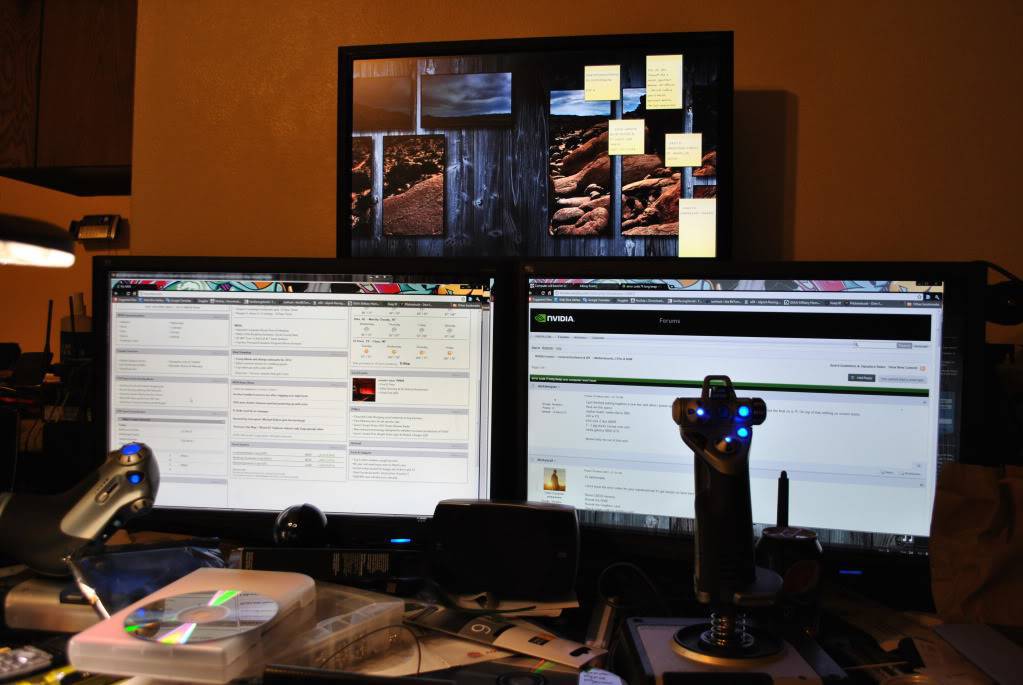
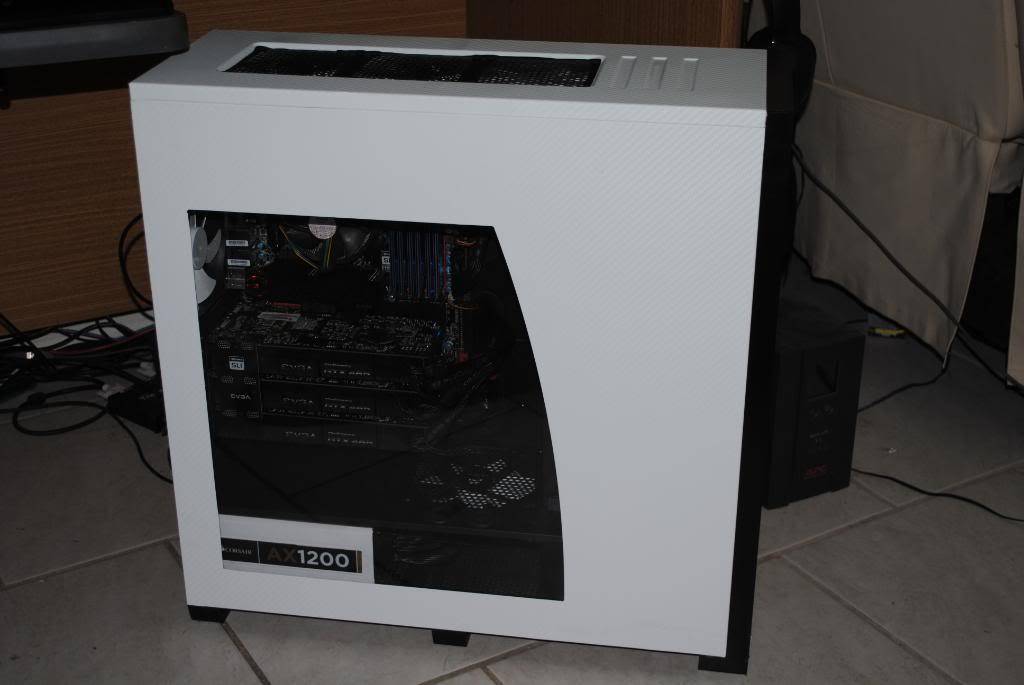
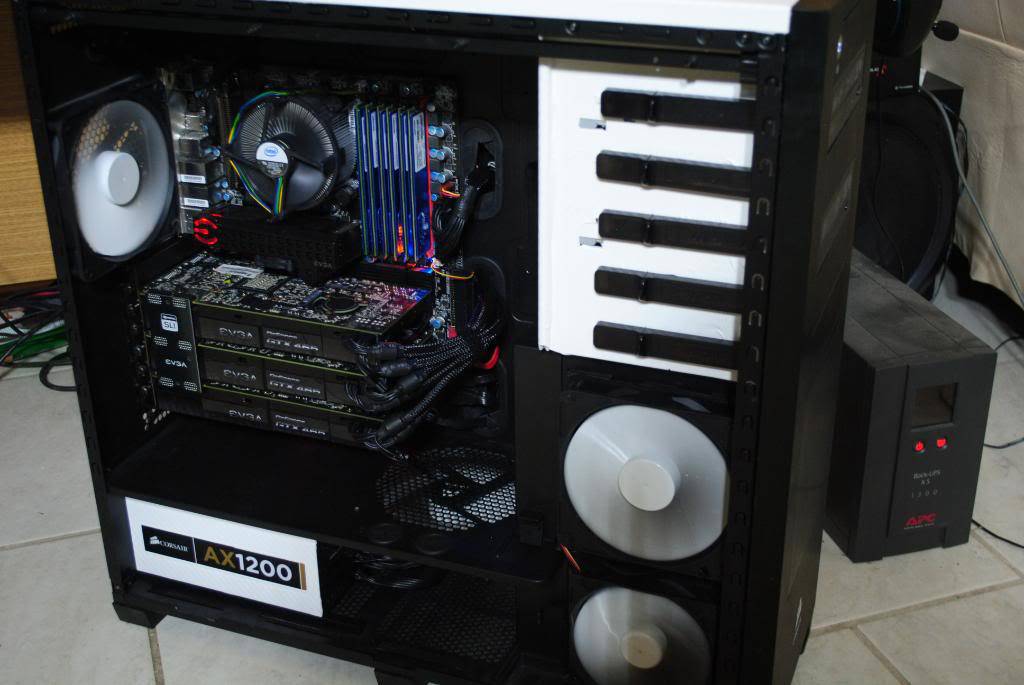
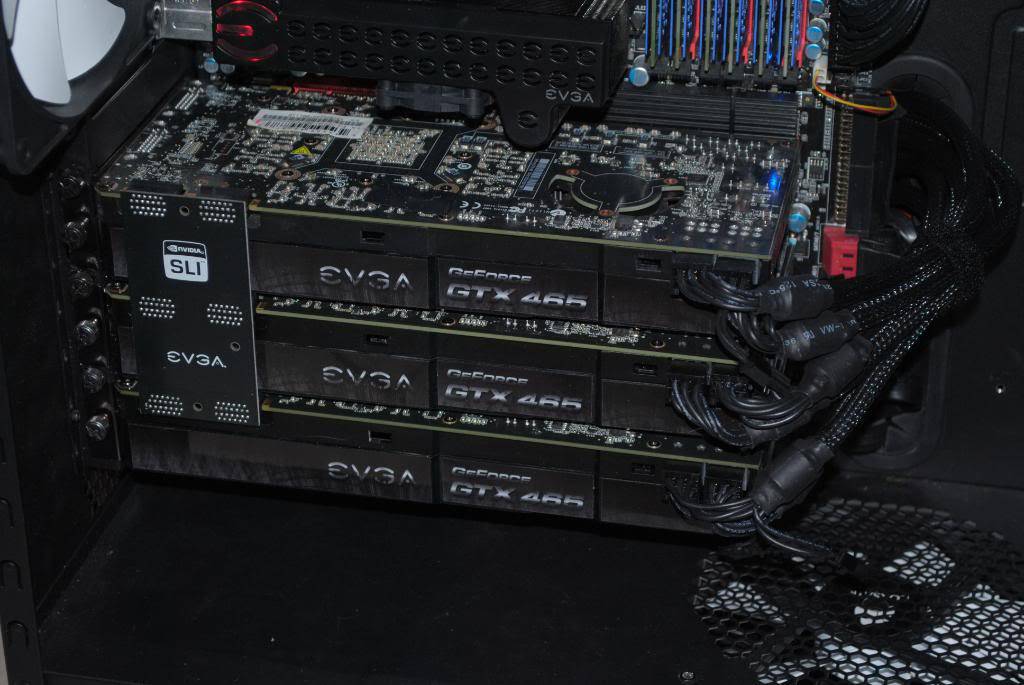
Enough tooting my horn......
Can run FSX with all sliders maxed, with Flightbeam Studio KSFO with the Aerosoft AES active and the Aerosoft San Francisco scenery, using the PMDG 737-800NGX and World of AI for air traffic.....
72 fps. Unfortunately, it takes a little while to get off the ground; once you leave the gates around 11:30, you are in a traffic jam. 😕
Wait till I liquid cool it and then overclock the system..... 😎
PC help
Guest
I have this spec:
Intel core I3 @ 3.1 ghz 3MB cache
RAM 6gb
Harddrive 1Tb 7200rpm
AMD Radeon HD 6450 1gb
Windows 7 home premium
PC help
Guest
Sorry for two post, forgot the question.
Will it run well? Se spec above...
Leave it at the default settings and slowly move the slides up.
Keep your FPS locked at 20 and take it easy with autogen, AI and shadows.
Guest
DUDE R U RUNNING A SUPER COMPUTER ???? IT DOESENT REQUIRE 3 Ghz OKAY A MAX. IT WILL REQUIRE A 2.40 OR LESS THAN THAT (THIS WILL RUN THE GAME ON AVERAGE GRAPHICS) PLS STOP SCARIN PEOPLE
john rogers
Guest
cant figure out why microsoft x flight simulator wont work with gforce 6150 le
nj2kansascity
Guest
• 4th Generation Intel Core i7-4700MQ Processor (2.40GHz 1600MHz 6MB)
• Windows 8.1 64
• NVIDIA GeForce GT755M GDDR5 2GB
• 8.0GB PC3-12800 DDR3L SDRAM 1600 MHz
• 1TB 5400 RPM+24GB SSD
What settings will my computer be able to run? Thanks!
nj2kansascity wrote:
• 4th Generation Intel Core i7-4700MQ Processor (2.40GHz 1600MHz 6MB)
• Windows 8.1 64
• NVIDIA GeForce GT755M GDDR5 2GB
• 8.0GB PC3-12800 DDR3L SDRAM 1600 MHz
• 1TB 5400 RPM+24GB SSD
What settings will my computer be able to run? Thanks!
That sounds like a laptop card, I'd say close to max out if you lower your AI.
If it's a desktop then maxed out.
It also depends on what you add on, that may take a lower setting.
nj2kansascity
Guest
yes you are correct. Its a laptop. Thanks for the quick reply!
Andrew fleming
Guest
I have an Intel Pentium 4, windows xp pro 32 bit sp3, with Intel onboard graphics 82915g..will it run fsx without hiccups?
Andrew fleming wrote:
I have an Intel Pentium 4, windows xp pro 32 bit sp3, with Intel onboard graphics 82915g..will it run fsx without hiccups?
No, that's quite old and the graphics will give you hiccups if you set the graphics to high. You can't use more than 3gigs ram on a 32bit system (even if you have more on your computer) so that will slow you down.
Keep them low (autogen, shadows, clouds and AI) and it might look good.
Lock the FPS at 20.
Andrew fleming
Guest
What if I added a video card would that make it any better?
Andrew fleming wrote:
What if I added a video card would that make it any better?
That's a single core CPU, most today are running a quad core and can't max it out.
Will it help, anything will help but I think with a new card you'd be better off with FS9.
It's easier to run and doesn't need the power of today's computer.
I just hate to see you throw good money after bad.
batguest
Guest
Hello, I'm going to buy the game soon.
I have a Dell XPS 8500.
i7 3770
8 GB RAM
Zotac GTX 580 AMP! Edition
SSD + HDD
Can I run it on max settings in 1080p60? Thanks!
batguest wrote:
Hello, I'm going to buy the game soon.
I have a Dell XPS 8500.
i7 3770
8 GB RAM
Zotac GTX 580 AMP! Edition
SSD + HDDCan I run it on max settings in 1080p60? Thanks!
I would try it at first, lock it at 20fps and see how it works.
If it's jerky then shut off the shadows and AI, and lower the autogen and clouds.
It should run nicely then.
guestbat
Guest
Thank you! Will try the game monday. It used to run fine on my Core2 Quad Q9550 (lost the CD somehow), but I've read stories that it does not run smooth on new hardware..
Andy2611
Guest
Hi folks, I am about to buy FSX, but would just like to know if my computer specs will be good enough or am I wasting my time as I would want add ons and scenery etc also....... Intel i5 processor 6400 quad core - 2.7/3.3 ghz with turbo boost -
6mb Cache - 8 gb Memory(ram) - Nvidia GtForce 930 ( 2gb gddr3) - Storage is 2 TB HDD , 7200rpm . Any info if this is decent or not and what I will need etc would be a great help, thanks .
Andy2611 wrote:
Hi folks, I am about to buy FSX, but would just like to know if my computer specs will be good enough or am I wasting my time as I would want add ons and scenery etc also....... Intel i5 processor 6400 quad core - 2.7/3.3 ghz with turbo boost -
6mb Cache - 8 gb Memory(ram) - Nvidia GtForce 930 ( 2gb gddr3) - Storage is 2 TB HDD , 7200rpm . Any info if this is decent or not and what I will need etc would be a great help, thanks .
I take it that this is a laptop, if I'm correct then you should run it at a lower resolution to get more power out of your video card.
This sim should run nicely at above medium setting provided you are careful not to overload it with setting high in autogen, shadows clouds and AI.
Good luck and enjoy!
Stijneman.me@live.nl
Guest
Anj
Guest
Just showing support for my boyfriend's Youtube channel. He uploads a lot of flight sim stuff. He even recently taught me how to fly. 🙂 Link to his profile is below:
Montgomery
Guest
If FSX will not install, download and run KB-928080. You can extract the file and it will create a folder on the C drive. But Run the fix under a Command prompt Window as an admin or Power Shell if you know how. Then install FSX, it should be fine.

Still does not answer your question? Ask a new question!
If the question and answers provided above do not answer your specific question - why not ask a new question of your own? Our community and flight simulator experts will provided a dedicated and unique answer to your flight sim question. And, you don't even need to register to post your question!

Search our questions and answers...
Be sure to search for your question from existing posted questions before asking a new question as your question may already exist from another user. If you're sure your question is unique and hasn't been asked before, consider asking a new question.
Related Questions
Flight Sim Questions that are closely related to this...

