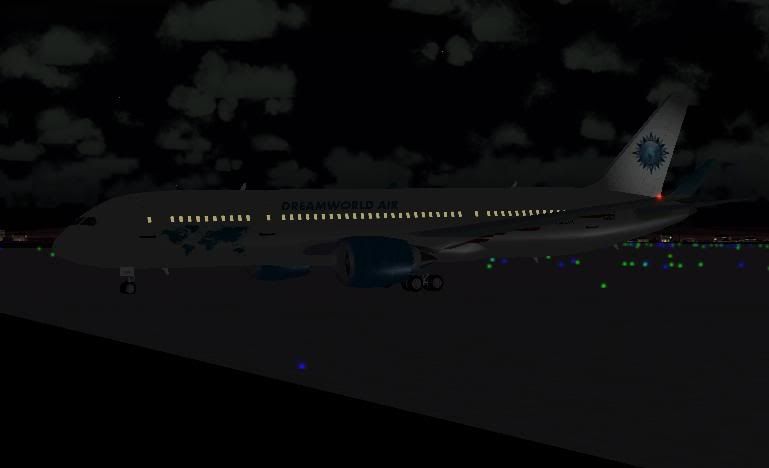
Dreamworld Air Boeing 787-300



Uploaded Dreamworld Air textures on AVSIM for the CamSim Boeing 787-300 Flyable model, if you want these textures type my name colin reece in the AVSIM file search.

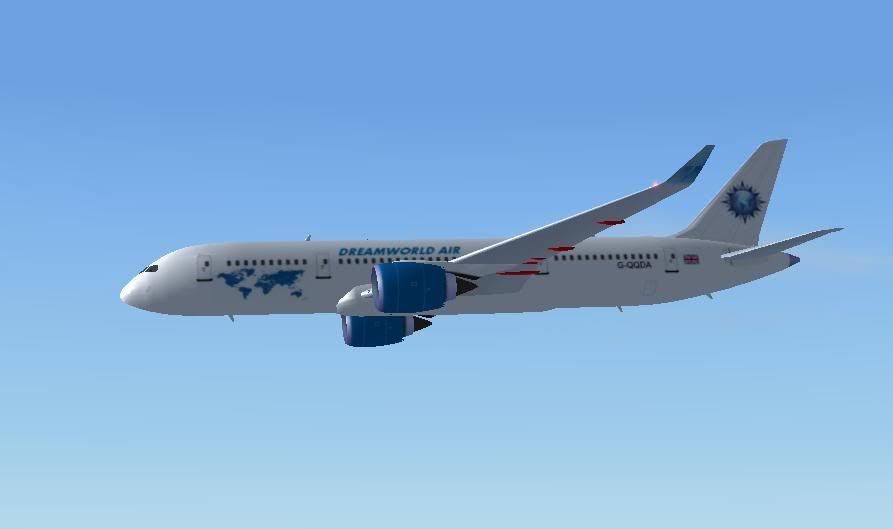
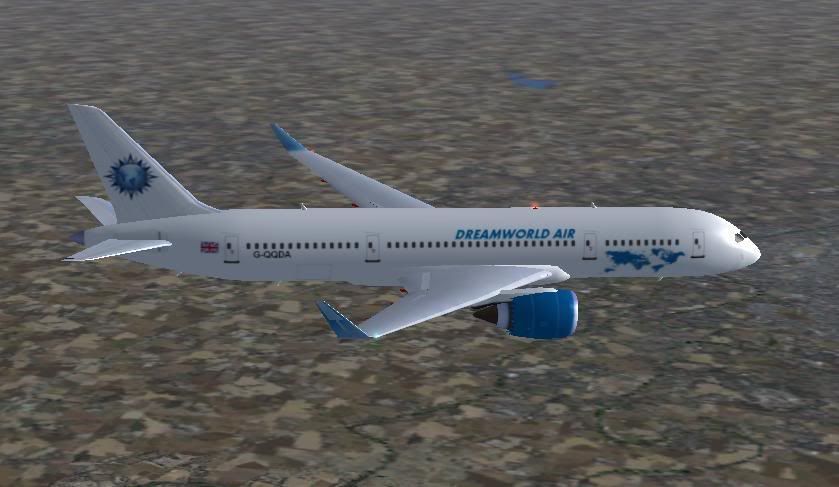
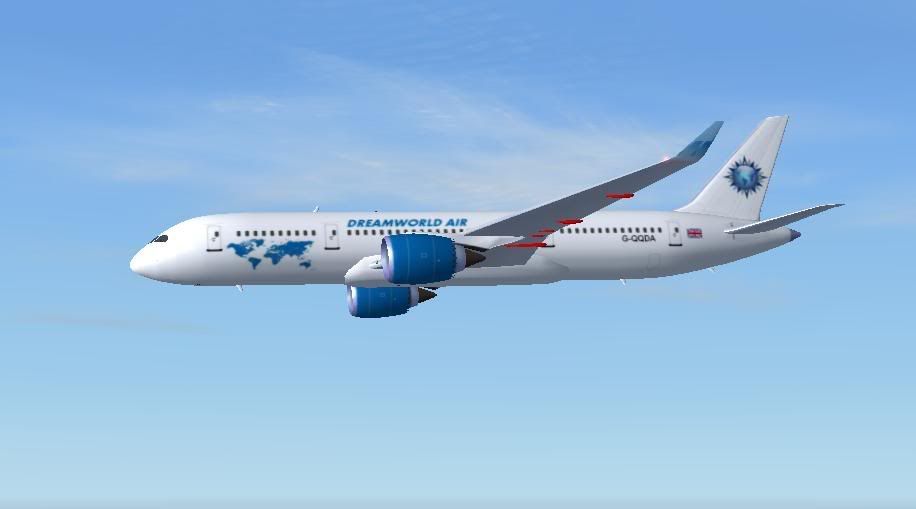
Col.
 14 Answers
 Jump to latest

THIS i Love!!!! simple and elegant!


Very nice and clean. Less is more.
Thanks Bel & Steve,
When I was doing it I kept thinking something was missing but then I thought of other airlines that have hardly any markings and they look good so I decided to leave it as it is.
Col.
There appears to be a problem! I just looked at the above aircraft in the early morning, it was dark. The textures don't show up, I must have done something wrong, they show during daylight.
There is a folder withing the texture that is labelled 'Night Master' I'm wondering if this is the cause?
Col.
could be... though that is odd that AI would have two separate texture folders for day and nite...
Hi Bel,
Yes, I set the aircraft in spot view, the time was early morning so it was dark, I kept it in view ans accelerated the sim, as daylight came it suddenly changed and the aircraft had markings.
I'll investigate further, or perhaps try another paint from someone else and try and see what they did.
I only downloaded the base aircraft plus the paint-kit, after looking at another ready done paint I see the painter also painted the night textures, this means in order to paint the aircraft it has to be done twice over, what a pain!!!
I've found a way of creating night textures in FS Repaint, of a fashion anyway. Now the aircraft paint does show at night but... there is no lights from the windows, I need to do more experimenting to see if it is possible with that software.
That is odd indeed about the night textures... usually there is a transparency file or alpha layer with lighting... I wonder how that paintkit is put together...
Hi Bel,
Not sure mate, I have played around swapping them etc but I didn't hit on anything. In the end I made some new night textures by copying the day ones and changing the extension T for L then using FS Repaint altered the colour till it was passable at night.
I've still not got the windows to light but I can live without it till I get it sorted or IF I get it sorted that is. 🙂
Col.
Got it to work OK now from a tip I found at this site, I've joined btw:
http://www.simmerspaintshop.com/
Col.


Nice repaint Colin
Thank you Morris, I managed to fix the night lighting so I'll upload to AVSIM shortly.
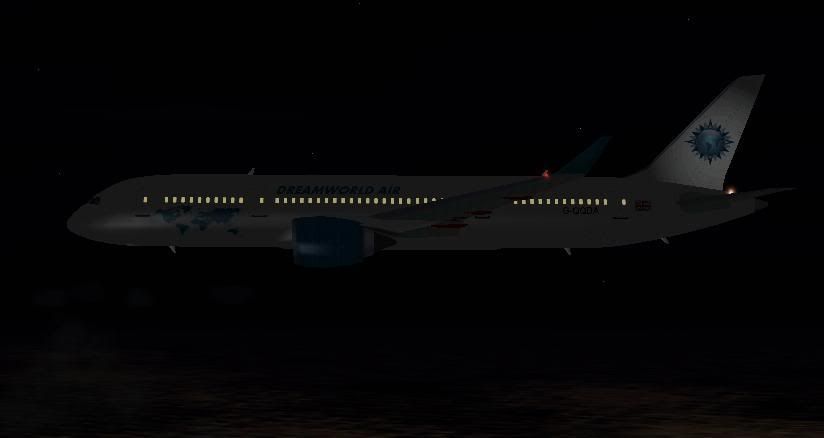
Col.

belgeode wrote:
THIS i Love!!!! simple and elegant!
That's exactly why I like Col's repaints. Simple and elegant. Another great repaint Col. Well done! 😀

Still does not answer your question? Ask a new question!
If the question and answers provided above do not answer your specific question - why not ask a new question of your own? Our community and flight simulator experts will provided a dedicated and unique answer to your flight sim question. And, you don't even need to register to post your question!

Search our questions and answers...
Be sure to search for your question from existing posted questions before asking a new question as your question may already exist from another user. If you're sure your question is unique and hasn't been asked before, consider asking a new question.
Related Questions
Flight Sim Questions that are closely related to this...

