



 Trainee
Hi All: I am looking for a download for the full FS2004 Boeing F/A-18 aircraft. I can only find paint schemes etc. Does anyone know the URL for the download of the full meal deal?
Thanks in advance!
Time Pilot
TraineeHi All: I am looking for a download for the full FS2004 Boeing F/A-18 aircraft. I can only find paint schemes etc. Does anyone know the URL for the download of the full meal deal?
Thanks in advance!
Time Pilot
 15 Answers

 Chief Captain
This is the one you want:
https://flyawaysimulation.com/downloads/files/816/fs2004-boeing-f-18e-super-hornet/
Welcome to the forum 😀
TraineeHI Tailhook Thanks a bunch
Time Pilot

 Captain
Thankyou TailHook i also downloaded thanks.
Also welcome to the Forum's TimePilot.
Chief CaptainBest freeware F-18 morris, you'll love it 😎
CaptainTailhook wrote:
Best freeware F-18 morris, you'll love it 😎
Nah i wont love it. You wanner know why ?
ITS BECAUSE it will not run on my Windows Vista it says it terminate's the instaltion.
Chief Captainmorris91 wrote:
Tailhook wrote:
Best freeware F-18 morris, you'll love it 😎
Nah i wont love it. You wanner know why ?
ITS BECAUSE it will not run on my Windows Vista it says it terminate's the instaltion.
Well that's what you get when you insist having the installer do the work for you. I'm sure (I hope) that if you do it manually, Vista won't even know you're there.
Create a Temp. folder first on your Desktop, call it: "Tailhook is always right". Then double-click the 'fa18sh41.EXE'.
Once you get to the stage were it says something like ...is going to install to C\Program files\...bla...bla... change the target to the "Tailhook is always right" -folder and continue with the procedure.
When done, open the "Tailhook is always right" -folder and all the goodies you need are in there. Don't forget the effects - they're nice. 
CaptainTailhook wrote:
morris91 wrote:
Tailhook wrote:
Best freeware F-18 morris, you'll love it 😎
Nah i wont love it. You wanner know why ?
ITS BECAUSE it will not run on my Windows Vista it says it terminate's the instaltion.
Well that's what you get when you insist having the installer do the work for you. I'm sure (I hope) that if you do it manually, Vista won't even know you're there.
Create a Temp. folder first on your Desktop, call it: "Tailhook is always right". Then double-click the 'fa18sh41.EXE'.
Once you get to the stage were it says something like ...is going to install to C\Program files\...bla...bla... change the target to the "Tailhook is always right" -folder and continue with the procedure.
When done, open the "Tailhook is always right" -folder and all the goodies you need are in there. Don't forget the effects - they're nice.
when i click the install it starts automaticly and installs into its own temp but when its finished it putting it into the temp folder it just goes like i said Above post ^^^.
It dont matter know, i wanted it for the March Screenshot Comp but i ahve a diffrent plane now. Lets say im finking out side the box.
Chief CaptainThat's what you're missing out on 
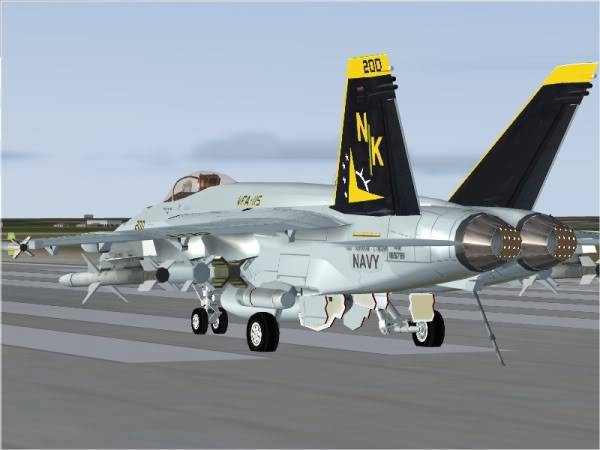
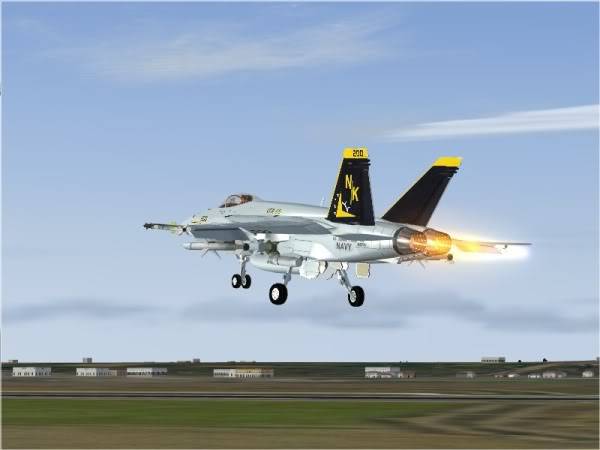
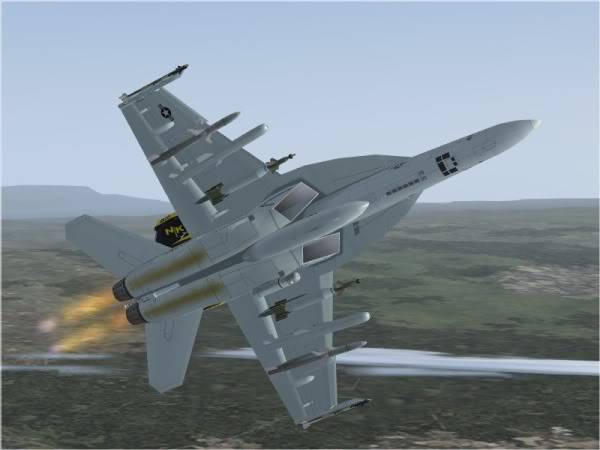
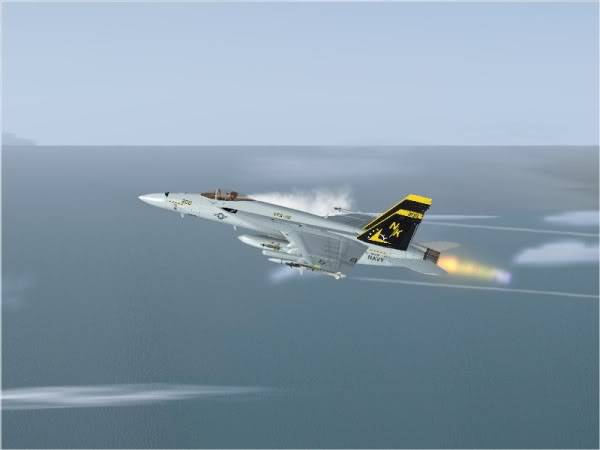 Captain
 You
You  Show Off 😂 😂
Chief CaptainHaaaahahaha... guess what? I didn't even know there was a screenshot competition on 😎
...so thanks to you I'm gonna enter - do I have to tell you which aircraft I'm gonna use?
...and guess who's gonna win... 
🙂 🙂
CaptainTailhook wrote:
Haaaahahaha... guess what? I didn't even know there was a screenshot competition on 😎
...so thanks to you I'm gonna enter - do I have to tell you which aircraft I'm gonna use?
...and guess who's gonna win...
🙂 🙂
😂 😂 I bet your one of these people who love there self's and love to beat poeple at everything and hate to be wrong.
😂 Nah serious now, Good look at the Comp and My Birhday is in March so i atleast have something to celebrate.
 Chief Captain
OMG... pix from Tailhook?!?!?
To what do we owe this pleasure?

 First Officer
Hey Tailhook, what's that tailhook doing on the tarmac?
Later ... Art
Chief CaptainTailhook...?  I thought that was the parking brake 😁
CaptainTailhook wrote:
Tailhook...?
😂 😂 😂 😂
Ask Fly Away, our AI flight sim & aviation assistant, for an instant answer to this exact question — or ask the community below.
 Jump to latest


 3878 views