Hidden commands in FS



Hi people 😉 . Today, I've been reading alot as regards FS, I've put some into practice, so I'm going to attempt to put this together and maybe it will help some.
Hidden commands in FS.............
I'm sure that alot of people (including myself) do not realize that FS has many commands that are not linked to menu items or key commands, but yet are available.
Here's a command that helps reload scenery very fast. We all know the view below, no matter how fast your system, or how simple the scenery, when you slew round fast, the scenery will look like this, while FS tries to make up it's mind where the view point is;
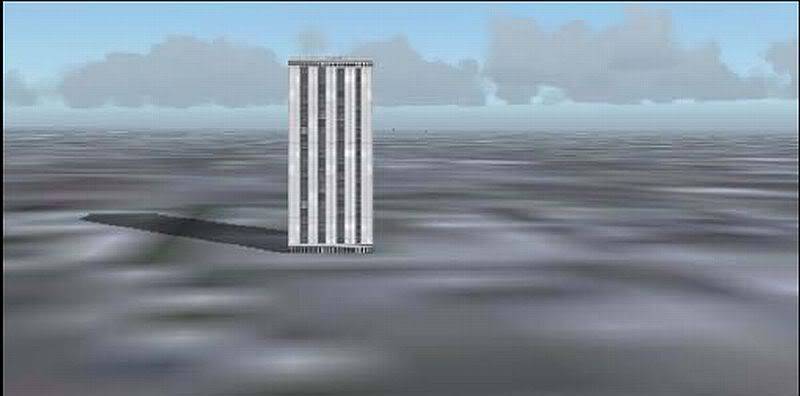
After a minute (on some systems longer) FS has caught up, and you see what you should see, full mesh, full scenery, full textures etc.
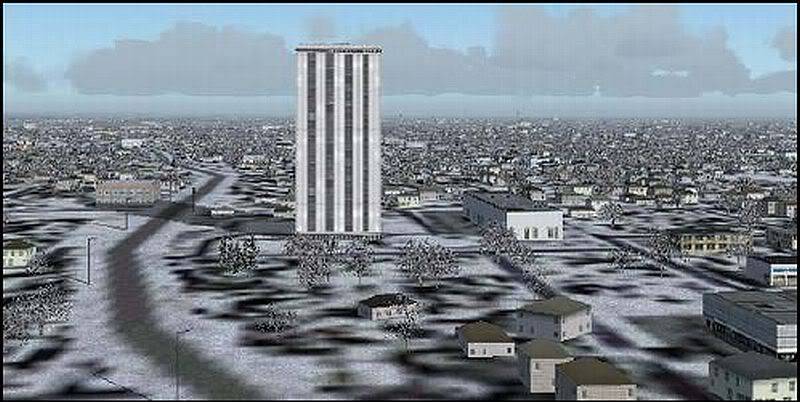
Here's a way to get from (before) to (after) in alot less time, by pressing a single key. Using the (refresh scenery) command in FS controls/assignments, this is a key command that is available, but not accessible, because it is not linked to a key or menu.
Maybe some are already using this feature, and most will be able to go to control/assignments and assign the (refresh scenery) key straight away, but the following is for those that dont venture into FS settings or change key/command assignments.
Firsly, start up FS untill you have this screen........
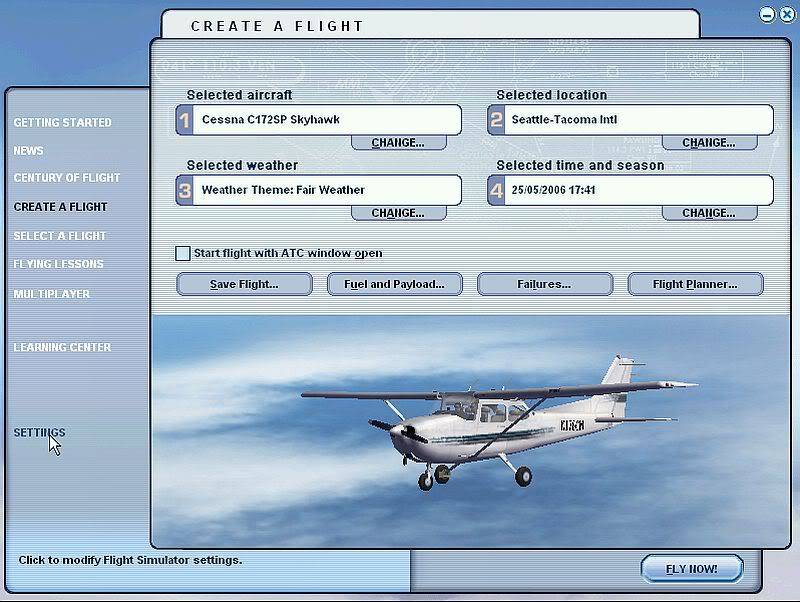
Click on (Settings) bottom left.
Secondly, click on assignments............
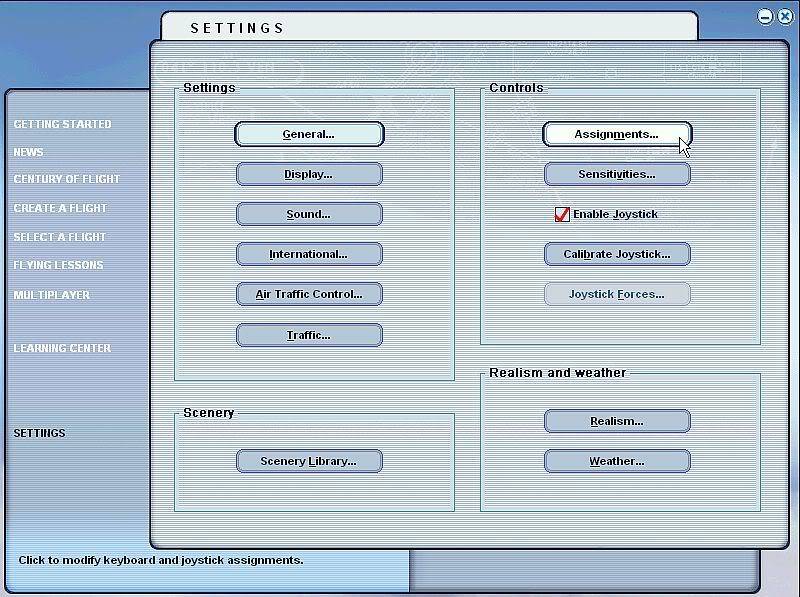
you will now have this screen..........
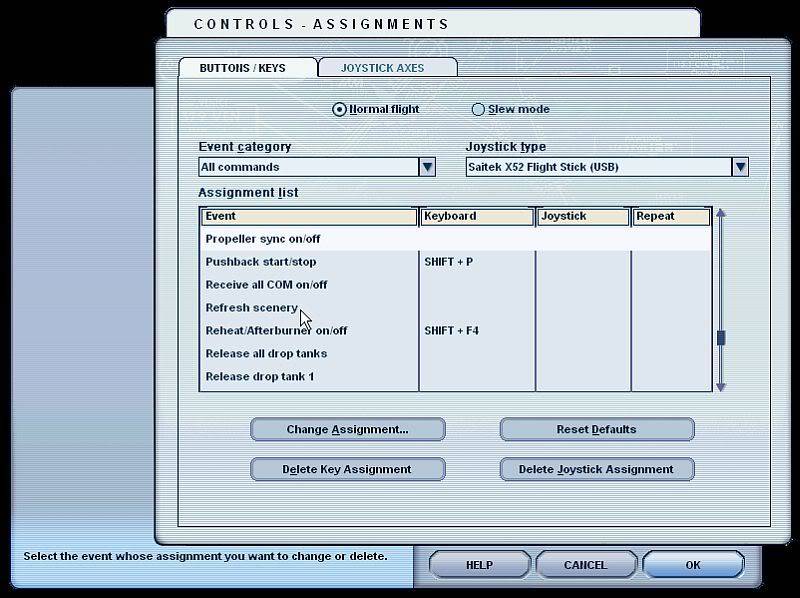
Thirdly, scroll down the Event list, untill you come to (Refresh scenery), like this...........
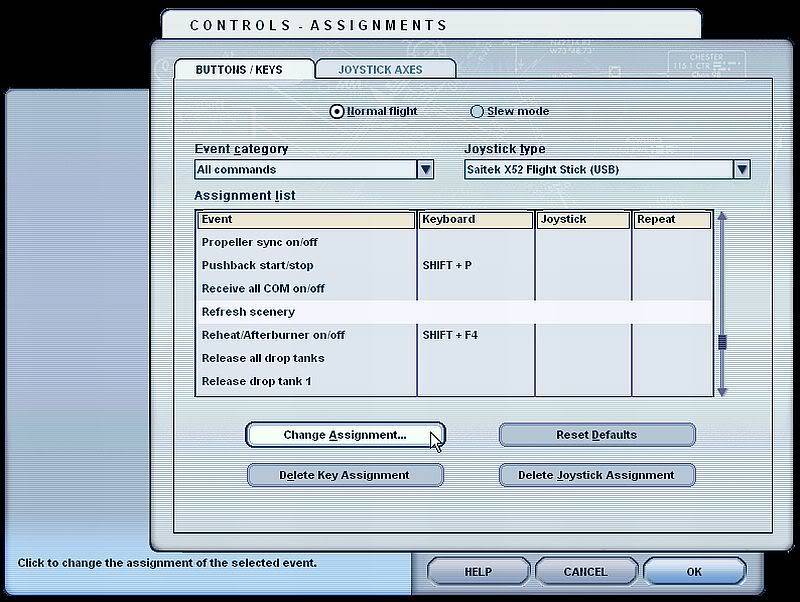
Click on (Refresh scenery) to highlight it, and then click on (Change Assignment), you will now have the following screen...........
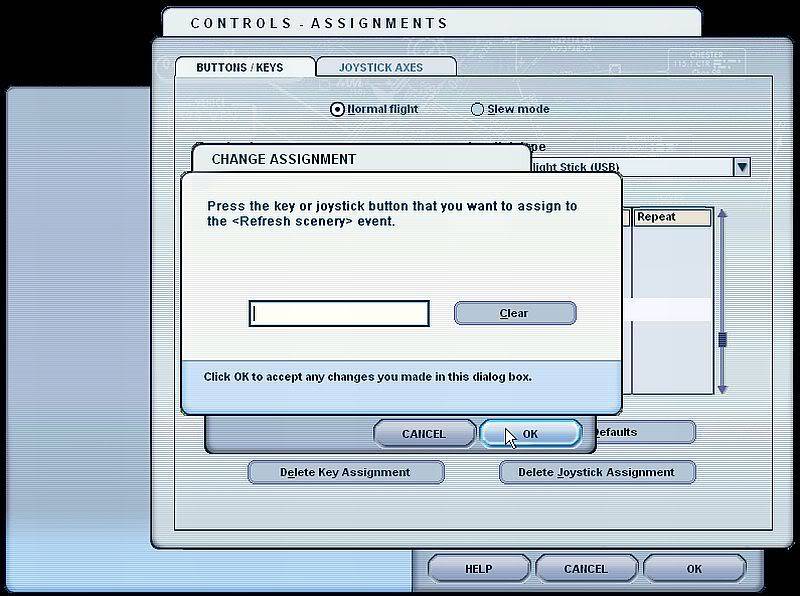
Fourthly, decide and enter the keyboard key you wish to assign to (refresh scenery), as you can see in the following shot, I have used forward slash (/) as an example..............
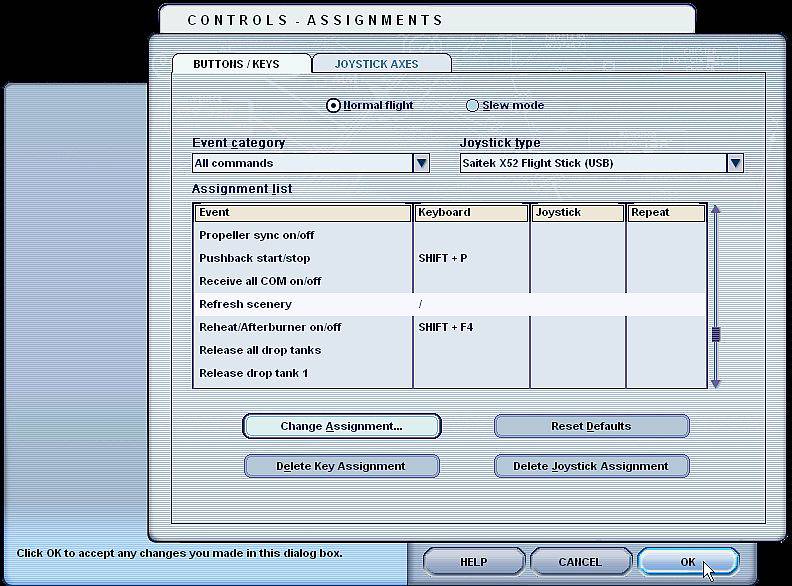
Finally, click on O.K. to accept the changes you have made.
Thats it guy's, I have tried and tested it, and it is alot quicker believe me.
Give it a go and see for yourselve's.
Hope this helps.
 6 Answers
 Jump to latest

Very interesting, you learn something new every day! Thanks.


I didn't know about that feature - thanks!
🍻

Very helpful Wing-man....
Thanks ❗


Thanks for the tip, I never knew about that!

You have done an excellent Job Wing-Man.
👍 I have to admit that searching to assign a key command (about the NAV/GPS mode)before2-3 weeks i notice it,but i ignore it  .
.
Thanks a lot 👍
 Guest
Guest
Neither did I!Very interesting!

Still does not answer your question? Ask a new question!
If the question and answers provided above do not answer your specific question - why not ask a new question of your own? Our community and flight simulator experts will provided a dedicated and unique answer to your flight sim question. And, you don't even need to register to post your question!

Search our questions and answers...
Be sure to search for your question from existing posted questions before asking a new question as your question may already exist from another user. If you're sure your question is unique and hasn't been asked before, consider asking a new question.
Related Questions
Flight Sim Questions that are closely related to this...

