Lockheed and Kawasaki P-3C (CP-140)



I am having trouble installing this aircraft. It seems to download okay, but I cannot get it into FS9. Given that the package has a self installer I am surprised that it doesnt appear. It has a Gmax component, could this be the problem?
Any advice would be appreciated.
 12 Answers
 Jump to latest

No, GMAX has nothing to do with it.
Be sure that the exe points to the right folder.
Or:
Find where it is and put it into the aircraft folder yourself.
You may have to put gauges and or effects into their respective folders but don't do that until you try to fly the aircraft to see if anything is missing.

Thank you RadarMan, I dont think I explained myself properly. The package downloads to the Drive but I cant get it into FS9. It appears in C drive , FS9 , aircraft but,,,, not in the FS9. I have tried the tried and true method of aircraft to aicraft, etc but that doesnt work either.
Are you saying that you find the folder in an odd place, then try to put it into the main aircraft folder but can't.
Drag and drop doesn't work...running Vista or XP.
Im running XP. When I go to C drive, Programs, Microsoft Games and then FS2004 I can find the aeroplane there. When I actually open FS2004 the aircraft is not there.
It's supposed to be putting it into the simobjects/aircraft folder and it isn't (common problem).
Just take that folder and put it in yourself, you should be able to see and use it then.
https://flyawaysimulation.com/knowledge/page/34/installing-addon-flight-simulator-downloads/
I have just one more question before I stop trying .
The self installer places the contents into the C drive, aircraft,,etc. but it is not in FS9 when opened.
I note that the contents of the download include a self installer which does not work from the C drive. It gives a message about an Air File not installed.
Any idea what that means?
Some designers pack an exe in an exe, that way they get the right item in the right place.
Sometimes I think an exe is more trouble than they're worth.
You need the air file, see where it goes when you execute the exe, be sure it stays with the folder that is in simobjects/aircraft.
What a strange aircraft you found.
A strange aircraft indeed. May I say, I found it on Fly Away and after seeing the visuals I just had to have it. It seems to be only on Fly Away.
Perhaps, as a Moderator you might care to have a look 😉
I wont waste any more of your time.
Since it works in FSX I'll try it, I don't have FS9 loaded any more.
Unzip.
You now have two folders.
Unzip the first.p3v29kbt and unzip that, say yes to all.
Now use the new P-3C_V29 folder.
Drag and drop it into simobjects/aircraft folder.
Launch the sim and enjoy.
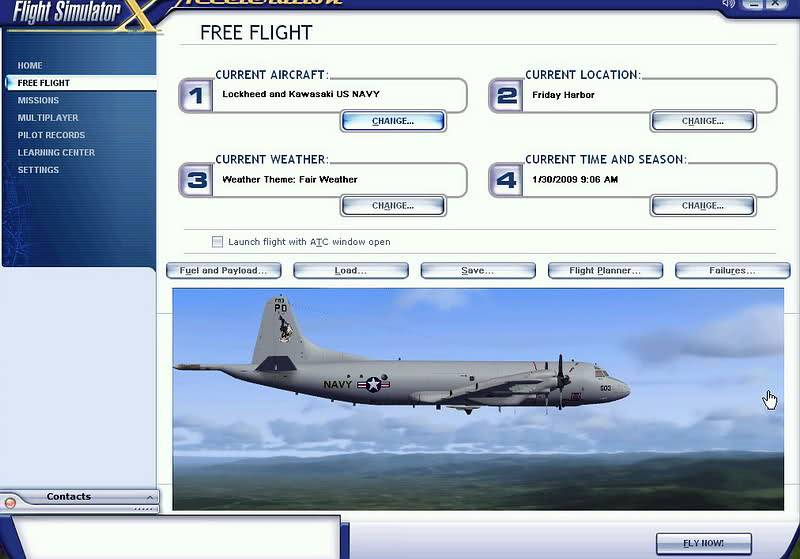
Thanks RadarMan. As usual, you have delivered in spades! It now works beautifully and was worth the effort.
Sometimes I think this hobby is better than,,,,,,,,, but only sometimes 😀
eyton402 wrote:
Thanks RadarMan. As usual, you have delivered in spades! It now works beautifully and was worth the effort.
Sometimes I think this hobby is better than,,,,,,,,, but only sometimes 😀
😀 Glad to see you have it running...enjoy.

Still does not answer your question? Ask a new question!
If the question and answers provided above do not answer your specific question - why not ask a new question of your own? Our community and flight simulator experts will provided a dedicated and unique answer to your flight sim question. And, you don't even need to register to post your question!

Search our questions and answers...
Be sure to search for your question from existing posted questions before asking a new question as your question may already exist from another user. If you're sure your question is unique and hasn't been asked before, consider asking a new question.
Related Questions
Flight Sim Questions that are closely related to this...

