
Asked

Hello fellow fsx fans. I have problems with my fsx
1. I got a new laptop so I had to copy fsx into an external hdd to the new laptop.
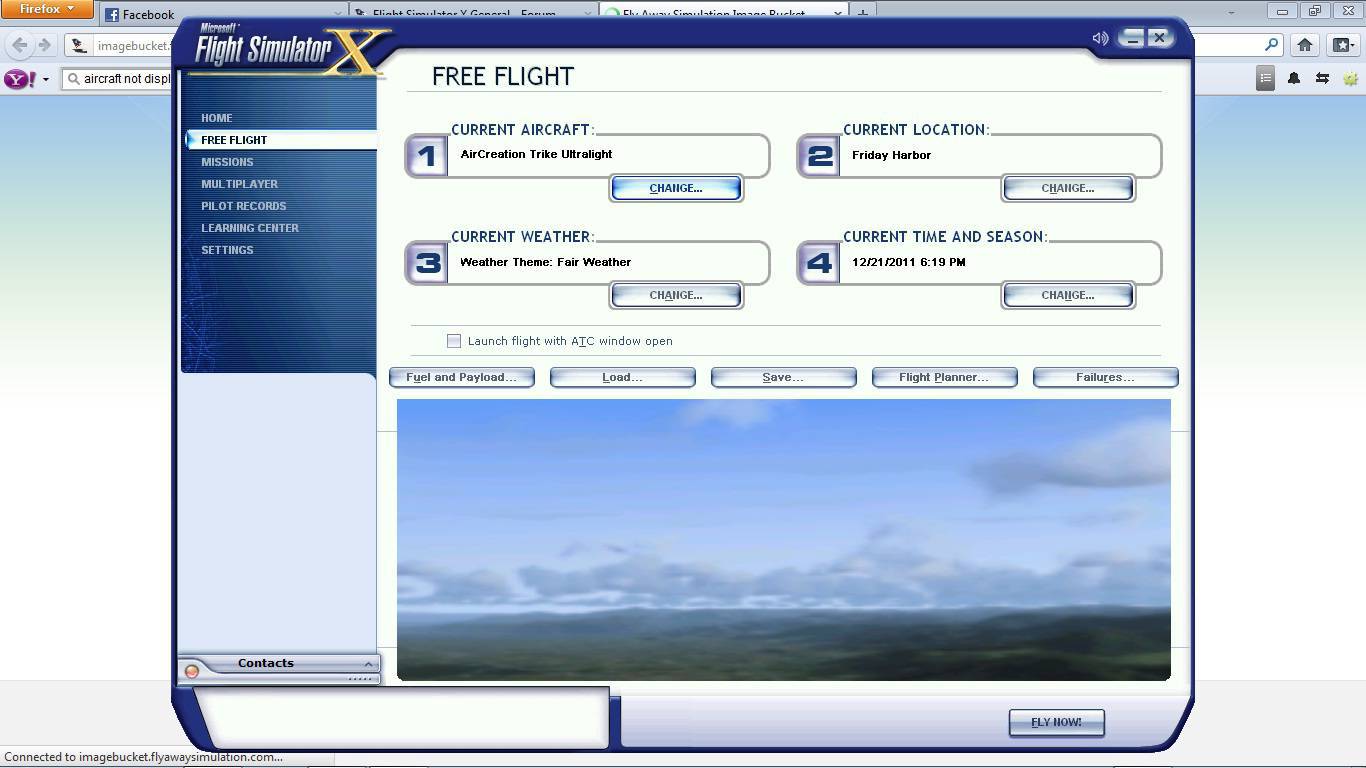
2. FSX i copied does not display any aircraft and its just blank blue. Including the default aircraft.
3. Exiting fsx, it dispays "a fatal error as occured"
MY system spec.
Pentium dual core, 2.30GHZ, 2GB ram, 500GB hdd.

DOnt know whats wrong. Please help me
Answered

You can't just copy the files from one pc to another. You have to install the game properly. Problem is just whether you will be able to activate the game, since you're key is already used for youre old install. Just give it a try and if you can't activate it uninstall the old version and activate by phone.

Answered

Go to the Sims graphics tab and UNcheck the DX10 box, see if that works.

Radar

Answered

thanks but not working

Answered

teeybabe wrote:

1. I got a new laptop so I had to copy fsx into an external hdd to the new laptop.

Very confusing that. You can't just copy the sim from one HDD to another.

If you want to run the sim off your external HDD, you have to install it properly. During installation you may have to point the installer to your external HDD.

Answered

Hi there.

You cannot just 'copy' the files over to a HDD external drive or the such, as it is not know as a portable application and the pure fact that it is 25Gb. I highly suggest deleting it off your HDD, then re-installing it onto your new laptop.

Thanks,
Tom.

Answered

I dont know what going wrong with my Sims since i have installed ADE 165 and the SDK. i uninstalled the both but the problem  still remain....

Still does not answer your question? Ask a new question!

If the question and answers provided above do not answer your specific question - why not ask a new question of your own? Our community and flight simulator experts will provided a dedicated and unique answer to your flight sim question. And, you don't even need to register to post your question!

Ask New Question...
